




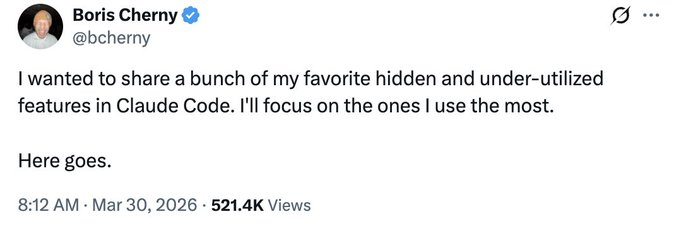
Yesterday Claude Code The founder, Boris Cherny, shared 15 more hidden functions, which Boris had 15, to find himself without even touching his fur。
One thing is, it's not my problem, it's that these functions are hidden too deep。
Not to mention, I'll split the 15 functions into five directions according to my own understanding。
I. Writing codes everywhere and anywhere
First, the phone can write the code
I've always felt that cell phone writing is a false need. The screen is so small, it's so tiring. What's the picture
But Boris said that many of his codes were written on his cell phone, which made me think again。
Claude Code has moved app, iOS and Android both. After downloading, click the Code label on the left, so you can review the code, batch the PR, write the code。
I've tried it myself, and it's a little weird to have a PR batch on the subway, but you'll find that you don't need a full development environment for a lot of times, just to take a quick look at the code, change a little bug, make a PR。
That's when the phone is enough。
Really, a lot of needs. Cell phones can work out。
The second, the clouds and the locals
/teleport and /remote-control are a pair of functions。
Teleport pulls cloud sessions to local terminals, Remote Control controls locally run sessions on mobile phones。
Boris has "all sessions enabled by remote control" directly in the configuration。
What does that mean?
You run a Claude session on the company's computer and you can do it on your cell phone on your way home. Not starting over, really going on。
In my view, this is not a function, but a change in the way we work。
Let Claude take care of himself
third, /loop, most automated
When I saw this function, I really, just stopped。
/loop can get Claude to run automatically at fixed intervals for up to a week。
The real use of Boris is like this:
- /loop 5m /babysit — autoprocessing code review, automatic rebase, push PR online every 5 minutes
- /loop 30m /slack-feedback /slack-feedback /sack feedback is automatically collated into PR every 30 minutes
- /loop 1h /pr-pruner — Close expired PR per hour
Claude's still working for you while you're sleeping。
To be honest, my first reaction is: Isn't this the job of an intern who doesn't sleep for 24 hours
BUT IN RETROSPECT, THIS COULD BE THE ESSENCE OF THE AI TOOL -- NOT TO REPLACE YOU, BUT TO DO WHAT YOU REPEAT。
fourth, /schedule, timing
similar to /loop, but controlled with a cron expression。
IT'S FOR A FIXED-TIME MISSION LIKE "DO XX AT 9 O'CLOCK EVERY MORNING."。
but i used it myself, and it felt more flexible, and schedule was better for a scene with a clear time requirement。
Fifth, Hooks, life cycle hooks
This one's higher up。
You can insert custom logic in Claude's life cycle:
- SessionStart — Autoload context every time Claude starts
- PreToolUse - Record every bash command Claude performs
- MissionRequest -- forwarding permissions to whatsApp
- Stop-Claude automatically presses it to work when he stops
It's not a function, it's a function to make Claude look exactly like you work。
Believe me, this function, once used, can't go back。
Claude didn't just write the code
Sixth, Dispatch, remote control of the desktop
Boris said he used it when he didn't write the code。
What can you do? Go back to Slack, handle mail, manage files, use MCP on your computer, browser, mouse keyboard。
I tried it myself and found it was not a programming assistant, but a remote assistant。
You're out there, trying to get Claude to help you with your computer, Dispatch is the entrance。
One thing is that this function is really new for people who often need to deal with things remotely。
Seventh, Chrome Extension, front end development required
Boris stressed a point: give Claude a way to verify the output, and it'll be perfect。
Imagine having someone do the site, but not using the browser to see what happens. It must have been a mess。
The Chrome extension is for Claude to automatically open the browser after writing the code, to see the effect, to discover problems automatically, and to be satisfied。
Boris says this expansion is more stable than other similar MCPs。
When I did the front end myself, I did find this extension, Claude changed bug much faster。
It's not a bouquet of flowers, it's a snow drop。
Eighth, Desktop App, autostart the test server
Desktop Claude can automatically run your web server and test it in an internal browser。
CLI and VSCode can achieve similar effects with the Chrome extension, but the desktop is open。
To be honest, I didn't feel anything special about the desktop at first, and then I realized it was really important to open the box。
Four. Tens at the same time, Claude
Ninth, Git Worktree, basis for parallel work
Boris said he ran dozens of Claude sessions at the same time。
My first reaction: how did it happen
The answer is Git Worktree。
Simply put, normally a guit warehouse can only work on one branch, Worktree makes you work on multiple branches at the same time, each Worktree runs a Claude session。
Use is simple:
- [bash] claude-w
or tick the worktree option on the desktop。
Believe me, once it's used, you don't want to go back to the single branch。
tenth,/batch, large-scale code migration
/batch will ask you a bunch of questions and start working in parallel with dozens, hundreds, and even thousands。
Harmonized modifications suitable for large-scale code migration, bulk re-engineering, and cross-documentation。
One man can't finish his job, Claude drives a hundred doubles for you。
To be honest, I haven't tried this function yet, but it's scary to think about it。
eleven,/branch, fork session
Sometimes you want to try another option, but you don't want to lose the current progress。
Two ways:
- run in session / branch
- command line running claude –resume
- _fork-session
After the fork is split, the original and the new sessions go separate ways, without prejudice to each other。
THIS FUNCTION, IT'S NOT REALLY A NEW TECHNOLOGY, BUT IT FEELS COMPLETELY DIFFERENT IN AI SESSIONS。
V. Drying out of every fraction of performance
twelfth, /btw, do not interrupt workstream questions
Boris said he used this every day。
Claude was working and you suddenly wanted to ask a question, but didn't want to interrupt it。
Use is simple:
- how do you spell it
It'll answer you, but it won't affect the main line。
Let's get back to work, like nothing happened。
This function, really, after it's used, you'll find, before interrupting Claude again, wasted a lot of time。
Thirteen, –bare, SDK 10 times faster
If you use the SDK, TypeScript or Python of Claude, add the –bare parameter to skip loading local configurations。
Starts directly 10 times faster。
- [bash]claude-p "summary of this code library" \\output-format=stream-json \\verbose\bare
Boris said it was a design error, and the future would turn it into a default。
I measured it. It's coming up。
To be honest, it's okay to have more of this design failure。
fourteenth, –add-dir, work across warehouses
Starting Claude in a warehouse, but trying to get him to another warehouse
Use is simple:
- [bash]-add-dir/path/to/other/repo
or run /add-dir in a session。
It's not just for Claude to "see" another warehouse, it's going to give it access。
You can also configure additional directories in a team settings.json, and autoload each time you start。
I used this to jump around between front and back warehouses。
This function is not to solve big problems, but to make day-to-day work easier。
Fifteenth,-agent, custom Agent
defines a custom anent in .claude/agents/, then runs:
- [bash] claude-agent
what can i do? limiting tool privileges such as read-only agent; custom system hints; specifying a specific model。
for example:
- code review special agent, read only unwritten
- document generate anent, only markdown files
- data analysis angent, only running queries cannot change the code
It's not for starters, but once you have to define yourself, you can see how powerful it is。
Now look back at the 15 functions, which are not really black technology, but what Boris himself uses every day。
I always felt that the nature of the instrument was not for show-off, but for problem solving。
This 15 functions, not every one, but the ones that fit you。
Believe me, when you're done, you'll find that the way you worked was really a little inefficient。
I'd like you to find those functions that suit you。