



In this section we'll dive intoStable DiffusionThe ControlNet plug-in is the core of our business applications and the cornerstone of Stable Diffusion. In this section, we will take a look at ControlNet as a whole and explain its general parameters in detail.
I. Why do you need ControlNet?
Before learning ControlNet, we need to understand what pain points it solves in Stable Diffusion, whose original version lacked the ability to accurately generate images because of its broad constraint dimensions.ControlNet is designed to solve this problem by flexibly and freely adding constraints from multiple perspectives to improve image generation control. It can flexibly and freely add constraints from multiple perspectives to improve the controllability of image generation.
II. ControlNet workflow
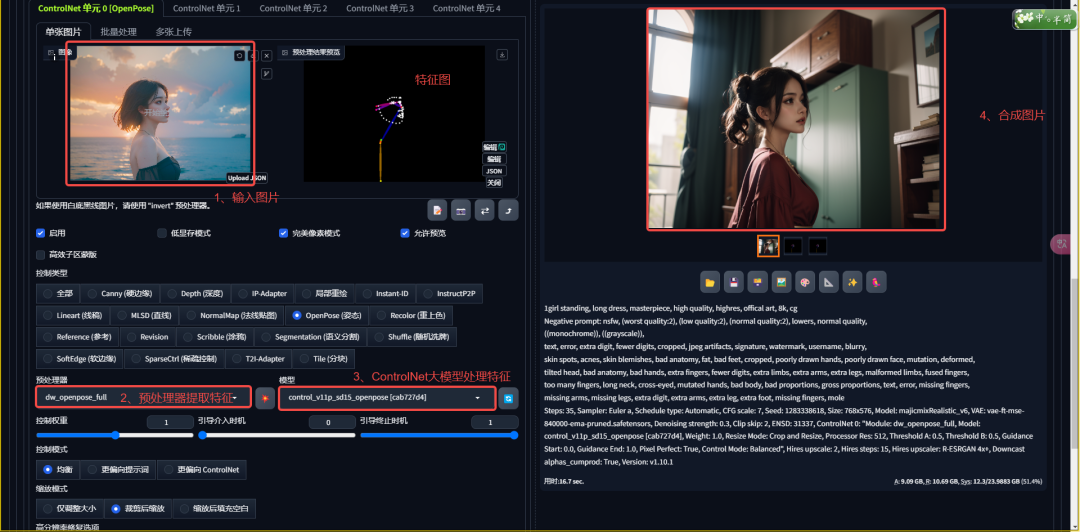
The workflow of ControlNet consists of four steps: inputting images, extracting features, understanding features, and generating results. Understanding this process helps us to better grasp the parameter settings of ControlNet.
1. Enter image: Provide reference images and tell ControlNet to extract features from them.
2. Extraction Characteristics: Select the preprocessor to extract the desired features in the image.
3. Understanding Features: The ControlNet model helps Stable Diffusion understand the extracted feature maps.
4. Generate results: Generate the final image based on the understood feature map.
III. Common parameters of ControlNet
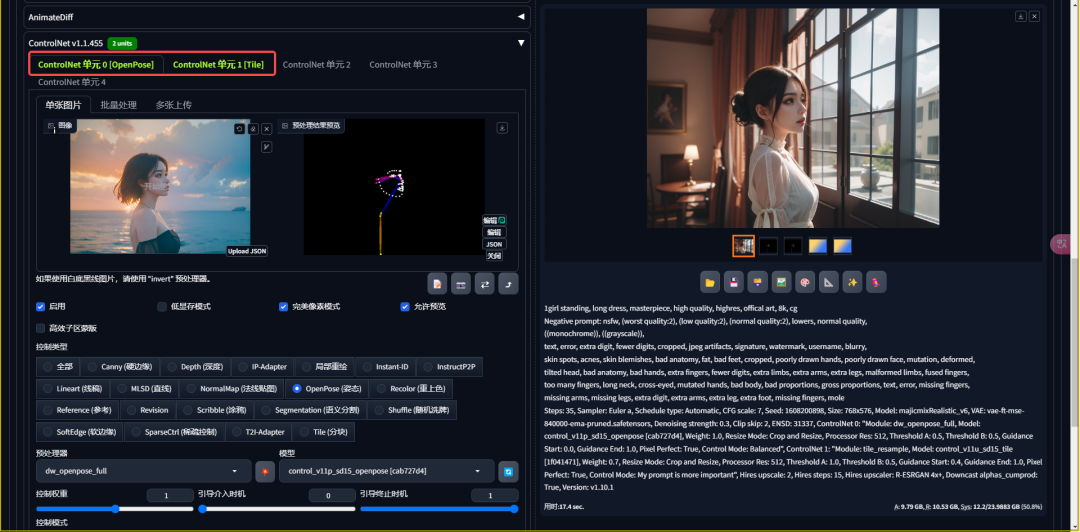
1. Number of control units
The ControlNet plug-in allows us to control the screen from multiple dimensions. By adjusting the number of control units, we can constrain the screen from multiple angles at the same time.
2, single picture and batch processing
ControlNet supports single image uploading and batch processing, the latter allowing us to process a large number of images at once, which greatly improves work efficiency.

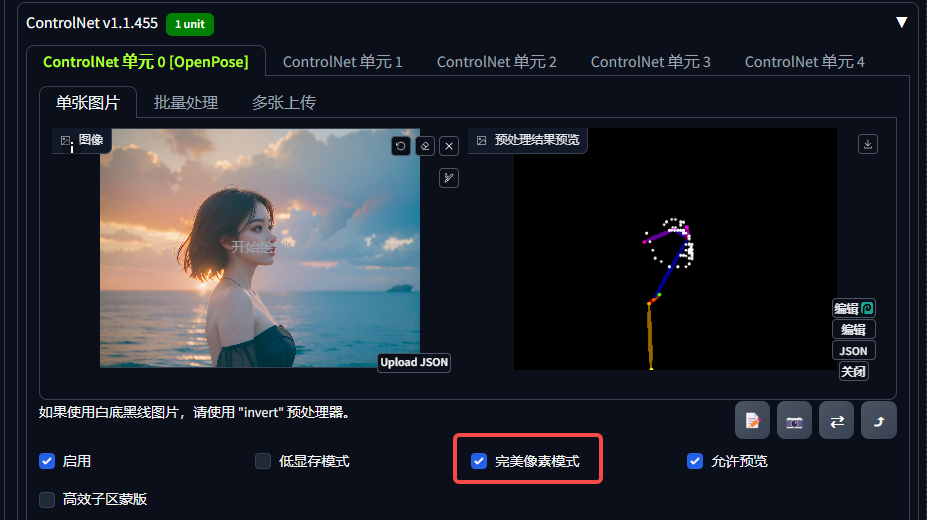
3. Pixel perfect mode
Perfect Pixel mode automatically calculates the optimal resolution, simplifying the setting of the preprocessor resolution and ensuring the quality of the feature map and the accuracy of the generated images.
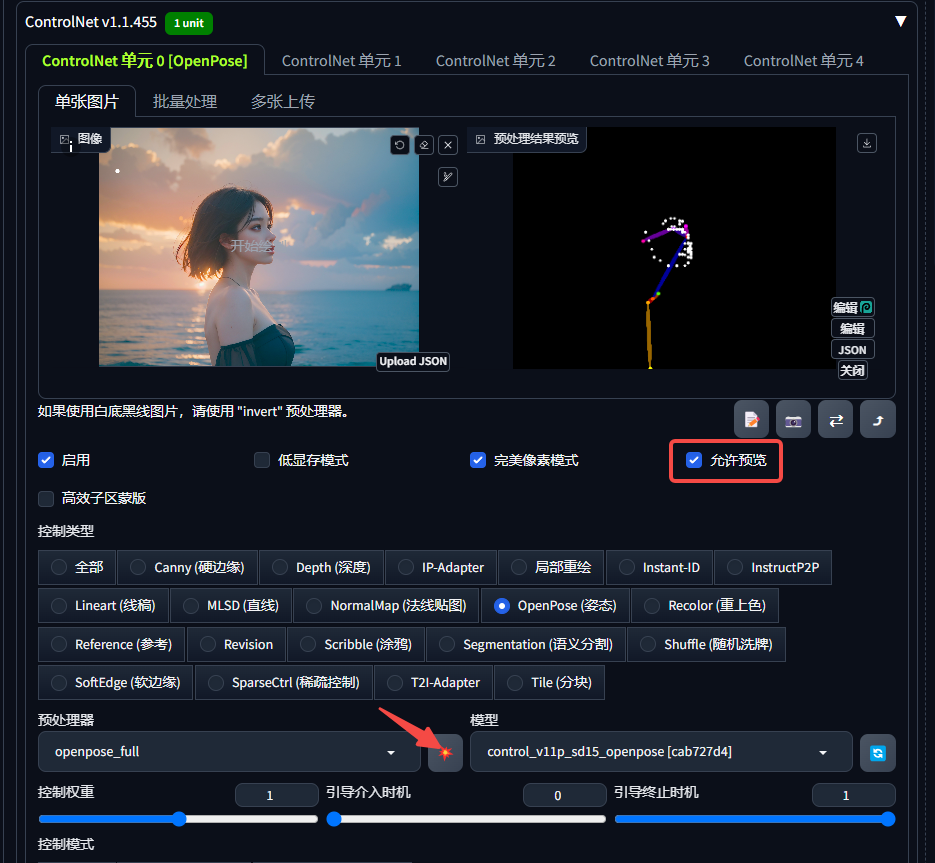
4. Allow preview
The Allow Preview feature allows us to visualize the extracted feature maps in order to make adjustments.
5. Control types, preprocessors and models
ControlNet extracts picture features with a preprocessor and makes them understandable to Stable Diffusion with the help of a model. The control type then categorizes and one-to-one correspondence between the preprocessor and the model, reducing the difficulty of use.
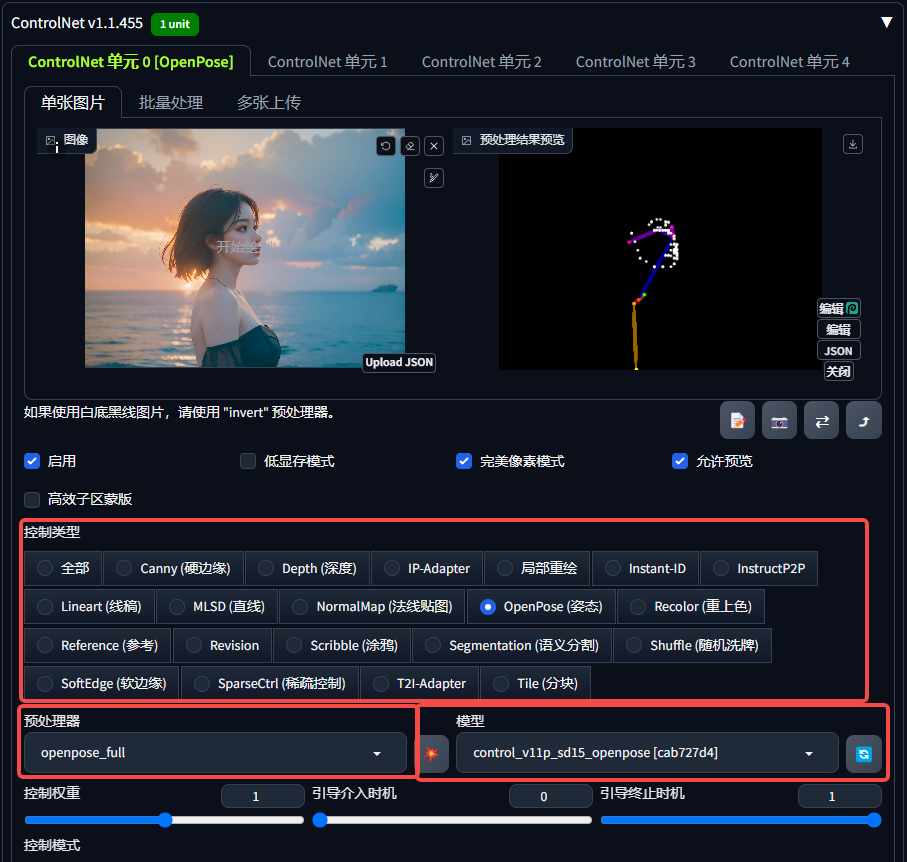
6. Controlling weights, guiding the timing of intervention and guiding the timing of termination
The control weight determines how much ControlNet influences the generation results. The bootstrap intervention timing and bootstrap termination timing, on the other hand, are related to the number of sampling iteration steps, and determine when ControlNet intervenes and terminates during the generation process.
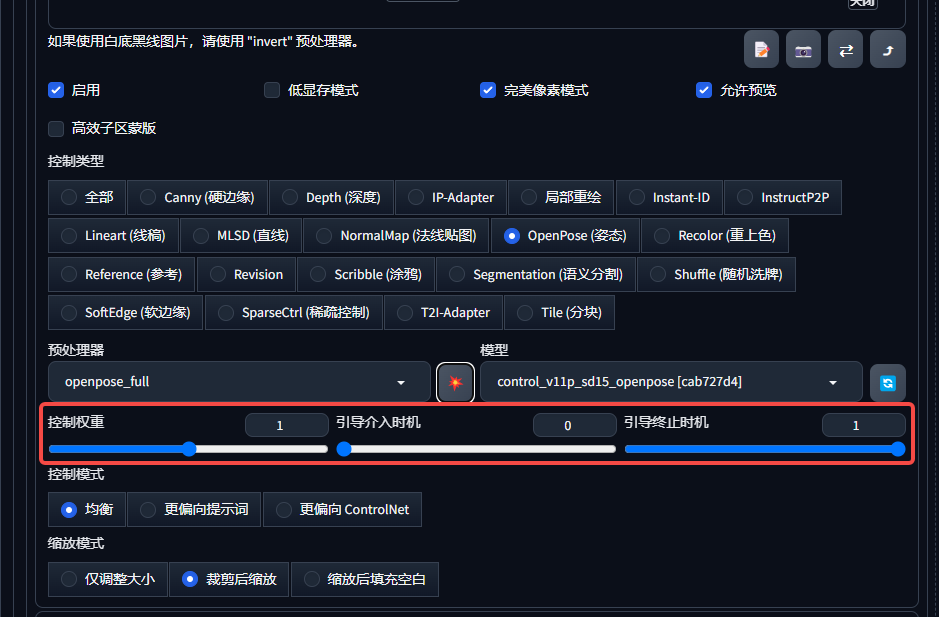
7. Control mode
The control mode determines which has a greater influence on the generated results between cue words and ControlNet.
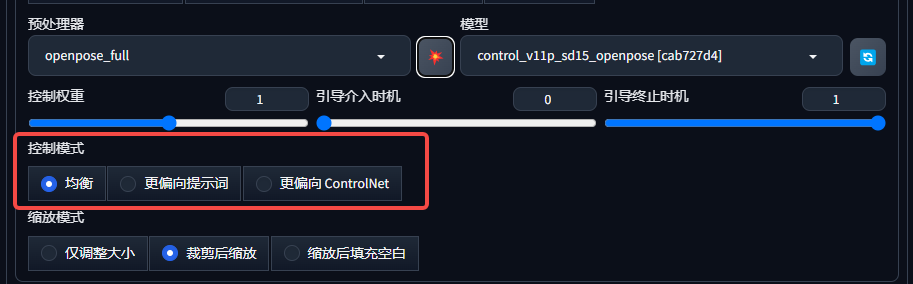
8. Zoom mode
The scaling mode provides different strategies to handle situations where the resolution of the uploaded image does not match the resolution of the generated settings.

IV. Conclusion
Through the study of this section, we have mastered the basic parameters and workflow of ControlNet, laying a solid foundation for subsequent in-depth study of ControlNet. This knowledge will help us to control image generation more flexibly and accurately in real projects.
I hope this article has helped you better understand the basic parameters of the ControlNet plugin. We'll see you in the next section!