



produce AI VideoIn the past, this was given to different characters separately on theshape of mouthis a difficult problem. Today, share with you a way to solve this problem.
No bullshit, no ink, just start the whole thing.
I. Use of tools:
- Dream AI:https://www.1ai.net/10005.html
- Silhouette for PC
II. Operational steps:
1. Open the dream of generating multiple pictures (here to generate two people), enter the prompt word: Shenzhen TV program hosts, men and women, two people, the background is the live room, realistic style

Raw model: Picture 3.0, select definition: SD 1K, picture ratio: 2:3, picture size: 1056 * 1584.
Choose the first picture to use.
2. Use that dream, figure born video function
Two videos were generated, one with the female presenter talking and the male presenter not talking, and one with the male presenter talking and the female presenter not talking.
Enter the cue word: male host speaks, female host does not speak male host speaks.

Download the video to save it locally. Another video is generated in the same way.
3. Use the Dream Counterpart function, of course, the use of other AI tools is also possible. Here we use the Dream.
When you select a lip-sync pattern, you can select an audio file or enter text in the "Audio" field. I'll enter the text here.
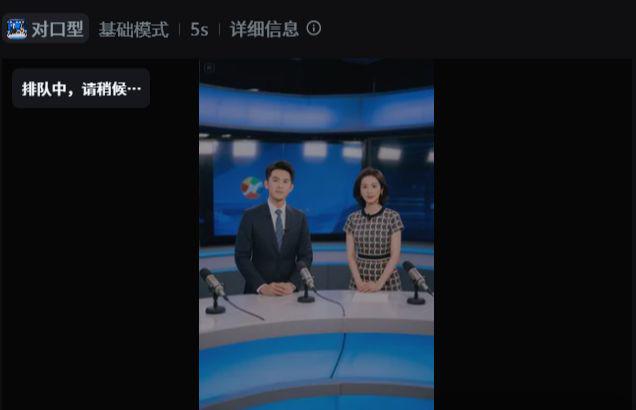
In the same way, for the female presenter, choose lip-sync and enter the textual content at the audio item. Then download and save the generated latest video locally.
4. Open Cutscreen and import the video into the tool

And drag the video to the navigation bar and set the audio, text, etc. here. Then look at the video effect, if you are satisfied then just export the video.