



Conch AI is currently the hottest in the AI spaceVideo Generation ToolsOne of them. Whenever they release a new model, the performance is always on par with industry benchmarks like Sora or Kling, and sometimes even better. The quality of the videos generated is amazing, especially considering how quickly the models are iterated.
However, the most obvious shortcoming in use is the lack of advanced control features: video-to-video workflows are not currently supported, native audio generation capabilities are lacking, and stylization options are more limited. If you're after finer control, or need specific features that Conch AI doesn't yet offer, you'll likely end up needing to find other tools to compensate.
In this article, I'll detail eight noteworthy Conch AI alternatives - some with stronger performance, some with more operational flexibility, and a few that win on ease of use. I will attach real generation cases, as well as objective evaluations after real testing.
Veo 3
Veo 3 is Google's newest and most powerful video model. It not only generates realistic video, but also offers higher resolution, better physics comprehension, better cue compliance, and built-in audio support.
- Official website:https://www.1ai.net/35775.html
You can try Veo 3 in Google Flow, Gemini App, Vertex AI, or third-party API providers like Fal AI or Replicate.
Cue word examples and corresponding generation videos:
- Prompt:Medium shot of an old sailor wearing a knitted blue seaman's cap, the shadow of the brim covering his eyes, and a thick gray beard almost covering his chin. He holds his pipe in one hand, and with the other he points it toward the churning gray sea beyond the ship's side. "O this sea, it is power, wild unruly greatness. Every morning light that breaks commands your awe."

Although you can't hear the sound in the sample video, it actually comes with audio - the old sailor in the frame is reciting the lines from the cue.
The biggest drawback to Veo 3 is its outrageous price tag. Users must subscribe to Google's AI Ultra package (up to $250 per month), which directly shuts out most indie creators and hobbyists.
Good thing the Google Flow platform offers the Veo 3 Fast option, which gives new users 1,000 free points for signing up. At 100 points for an 8-second video clip, users can generate 10 videos for free.
If you're into high-end video production and have a budget, it's probably the most powerful tool available. But for most people, Veo 3 is more of a "watch and play" kind of thing.
Pollo AI
Pollo AI allows everyone to create high-quality AI videos and AI images from a variety of inputs, such as text prompts, images, or existing videos.
- Official website:https://www.1ai.net/37870.html

Generating videos from text descriptions is one of my favorite workflows in Pollo AI. People can use different video models like Veo 3, Runway, Kling and Hailuo. there is no need to pay for multiple subscriptions as all models are accessible on the Pollo AI platform.
The whole process is very simple. After registering, go to "Text to Video". From there, just choose the model you want to use (e.g. Veo 3).
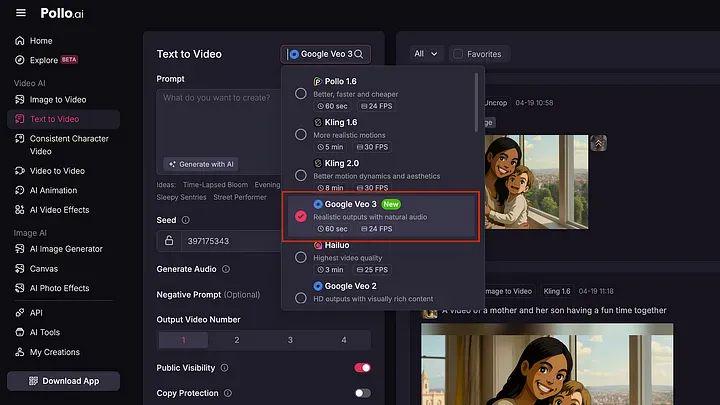
Set parameters such as the number of videos to generate, public visibility, copyright settings, and your text prompt.
Below is a sample text description:
- Prompt:Scenes burst with the raw, shocking and unpredictable energy of hardcore off-road rallying, captured in a dynamic, almost live-action or embedded sports documentary aesthetic. Often shaky, as if mounted inside one of the race cars, or hand-held at close range by an intrepid viewer, the camera is frequently splattered with mud or water, inadvertently capturing the harsh natural sunlight through the trees or the glare reflected off wet surfaces. We are in a challenging, untamed natural environment - it could be a muddy, dense forest trail, a dangerous rocky slope strewn with loose gravel, or a series of swift, shallow rivers.
- Several heavily modified, completely unrecognizable off-road vehicles are engaged in a wild and unruly race. These are not showroom production models, but hand-built hardcore machines: open-wheeled buggies with exposed engines and eye-catching roll bars, heavily armored pickup trucks with giant block tires and wading exhausts, whose original forms and manufacturers' logos have long since been obscured by extreme modifications, layers of dried mud, and an aesthetic of pure, functional violence.

Wonderful, isn't it? I especially like the splash of water as the vehicles cross the river. Some of the muddy water even splashes onto the camera, making the whole scene look very realistic. It was almost like a clip cut straight from a sports documentary.
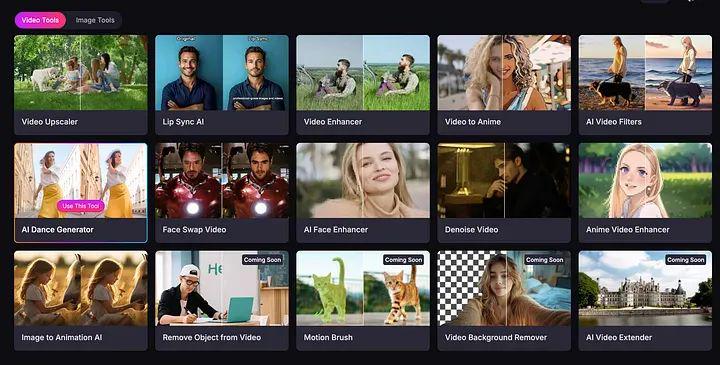
It also offers a variety of tools such as picture quality repair, HD enhancement, lip sync, face replacement, and more, making it a great platform for making fun videos for social media.
In addition, Pollo AI offers not only a web app, but also exclusive iOS and Android apps. iOS users can download them via this link.
- Link: https://apps.apple.com/us/app/pollo-ai-image-video-generator/id6740024098
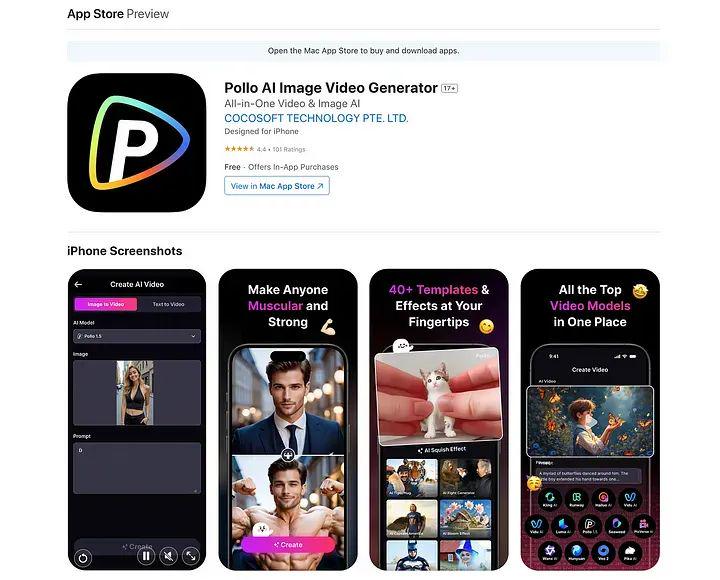
Among the many tools available, Pollo AI is the only platform that aggregates a wide range of top video models. If you want the flexibility to use multiple features and don't want to pay over and over again between tools, there's no better place to start than here.
If you're not sure where to start, you might want to give Pollo AI a try, but of course, the final choice will depend on your creative goals and type of content. I suggest you read my review of each tool and choose the one that best meets your needs.
Luma AI
The first thing that must be recognized:Luma AI has the most amazing user interface on this list!The design of the device is a pleasure to work with. Smooth kinetic effects, gradient color design and silky responsiveness make the whole operation process a pleasure.
- Official website:https://www.1ai.net/13078.html
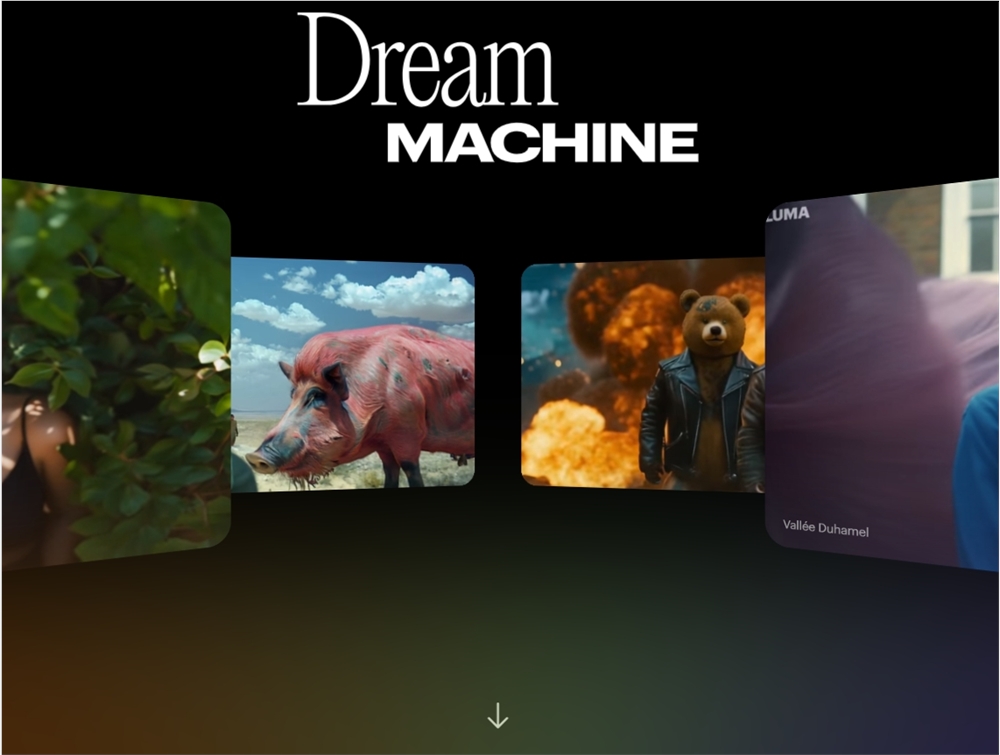
To get started, visit Luma's Dream Machine page and create a free account.
- Website:https://www.1ai.net/13078.html
Generating a video is very intuitive and simple. Just enter the description of the video you want to generate in the prompt field and press enter. You can also adjust the output video through the settings menu.
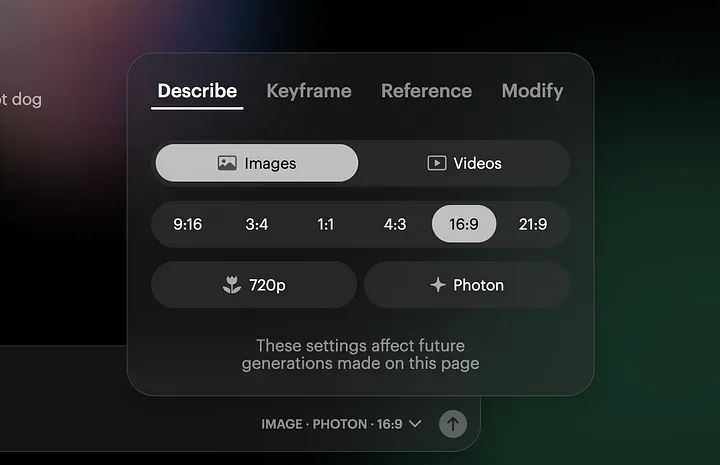
One of the most interesting features of Luma's Dream Machine is its ability to generate videos based on emojis. See the example below:
- Prompt: 👩🚀
The generated results are as follows:

It also excels in text rendering. This feature allows you to incorporate text directly into your video, a feature not commonly found in other AI video generators.
- Cue word: "wow" is made up of blue balloons in the sky.
The generated results are as follows:

That's great! To be fair, Luma's text rendering capabilities are excellent. This feature is especially useful for making videos with subtitles, captions or any other text elements.
In short, Luma's Dream Machine may not be as powerful as Veo or Kling in terms of sheer realism, but it offers creative features that make it unique. If you're looking for a simple, fun and visually stunning tool, Luma is definitely worth checking out.
Kling AI 2.1
Kling is one of the most popular and powerfulAI VideoOne of the generators. They recently released Kling 2.1, their newest and most powerful video model to date.
- Website:https://www.1ai.net/12558.html
The platform also supports image generation, image editing and sound production. One thing I really like about Kling is that its subscription price is very affordable. You can experience it for as little as $6.99.
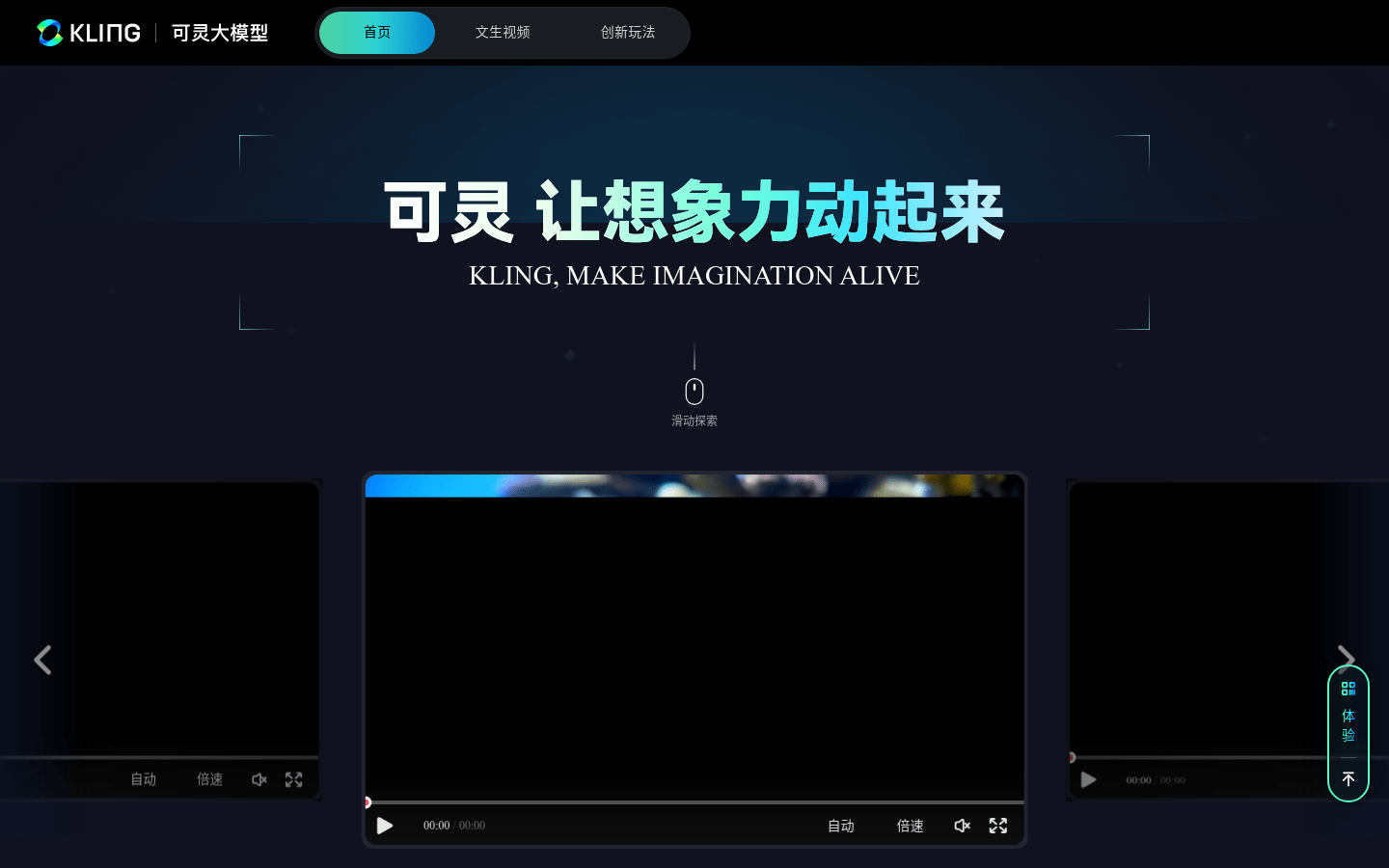
Below are some example videos posted on the Internet that were generated using Kling 2.1:

The amazing video above shows realistic scenes of people running and panicking in the streets. It's not just the realistic character movements that caught my attention, but the way the camera creates this compelling first-person perspective experience. It looks like it was taken from a Hollywood blockbuster.
From what I've seen so far, Kling 2.1 is a significant upgrade from Kling 2.0. Higher resolution and better quality video are its main strengths. However, it still feels a step behind in terms of overall capabilities compared to Veo 3, especially in terms of lack of native audio support.
RunWay Gen4
Runway's Gen 4 is the latest version of its AI video model and one of the most interesting tools on this list. It's built for creators who focus on consistency between shots and scenes.
- Website:https://www.1ai.net/78.html
This means you can generate the same character or object in different shots without having to retrain the model or make complex adjustments.

That's exactly why it's so useful for creators working on short films or multi-camera video projects. All you need to do is provide a reference image of a character or object, and Runway Gen 4 ensures that it remains consistent throughout the shot sequence, and across different lighting conditions and angles.

I also like how well it handles objects and environments. You can add a product or prop to a scene and keep it visually consistent while changing camera angles or scene composition.
Take a look at this example:

The model also has a much stronger understanding of the underlying physics than previous generations. Things like fabric movement, hair, and shadows all look much more natural now. It's still not perfect, but it's a huge leap forward compared to what we could get even six months ago.
Gen-4 is also excellent at rendering stylized and even anime-style videos. You can generate your anime clips with a simple text description within the platform.
Pika Labs
Pika is a generative AI platform that allows you to create videos via text or image input. The tool isn't exactly new to the AI video space; Pika was co-founded by Demi Guo and Chenlin Meng, both former PhD students at Stanford University's Artificial Intelligence Lab. From the beginning, their vision was clear: to revolutionize video creation through AI.
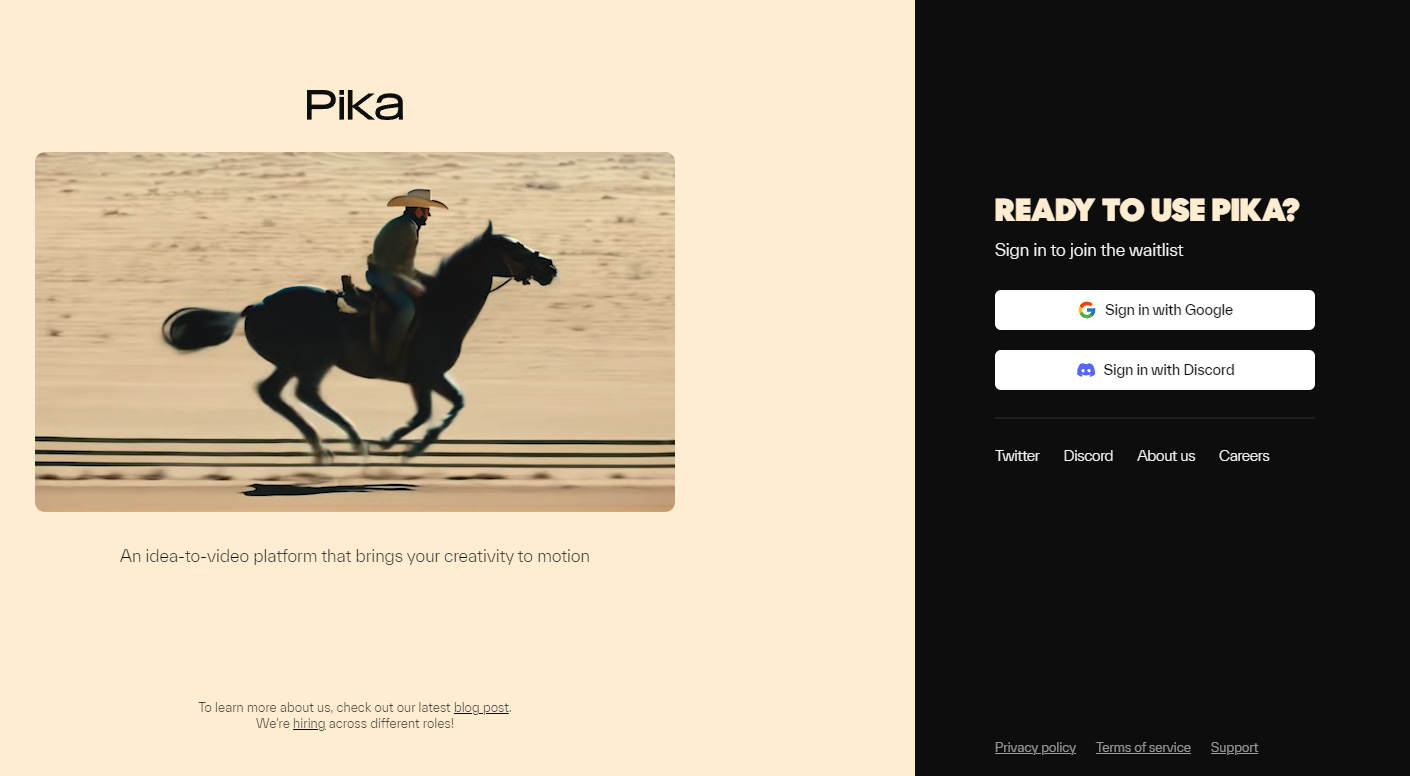
There are two main ways to access Pika:
- Discord server: https://discord.com/invite/c2C9ZgZ9
- Official website:https://www.1ai.net/1557.html
For an easier and smoother experience, you can use Pika directly from the official website. the interface is modern and easy to use. Let's see an example:
- Prompt: a longboard skater speeds down a winding mountain road, the wind whipping through her hair.

This example shows how Pika 1.5 smoothly captures motion and accurately renders the subject's hair dynamically flowing in the wind. It demonstrates the new model's excellent ability to handle complex physical effects.
It's worth noting that while Pika may not always achieve the extreme realism of Veo or Kling, it outperforms many tools in its price range in terms of photo-realism, physics, and dynamic movement. For creators who value fun and experimentation, Pika is honestly one of the most enjoyable tools available.
Hunyuan
Hybrid is a Tencent product that is a very noteworthy addition to the AI video space. It's a massive video model with 13 billion parameters that enables you to create high-quality videos with text descriptions.
- website:https://www.1ai.net/37872.html
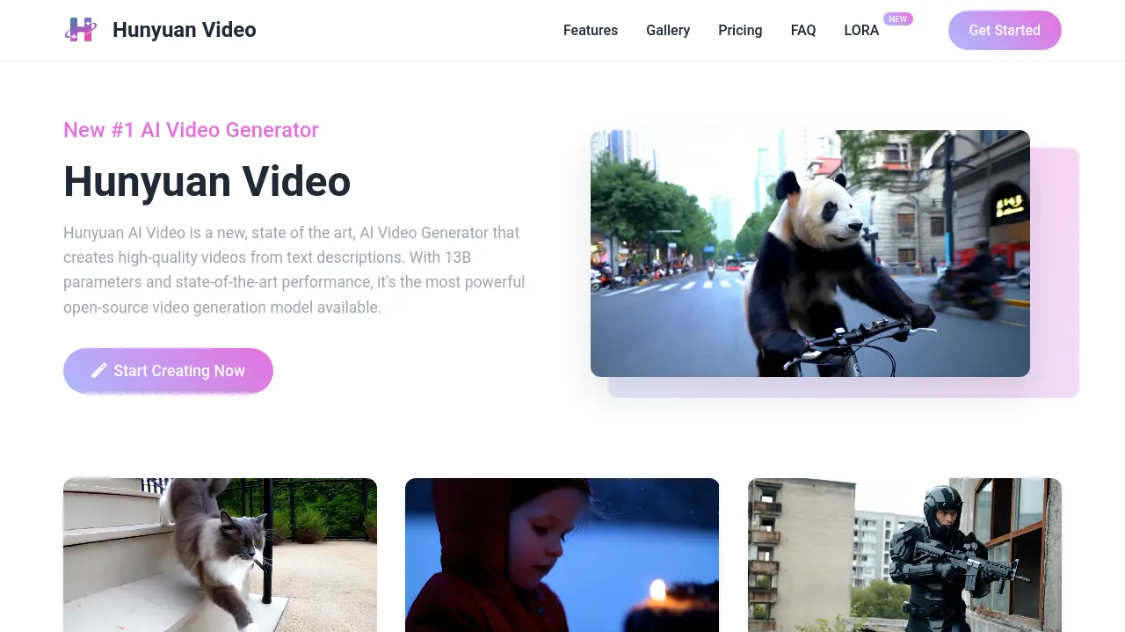
To get started, visit the official website of Hybrid and sign up for a free account. Then, in the "Create New Video" panel, describe the video you want to generate. Before clicking the "Generate" button, be sure to select your preferred video aspect ratio.
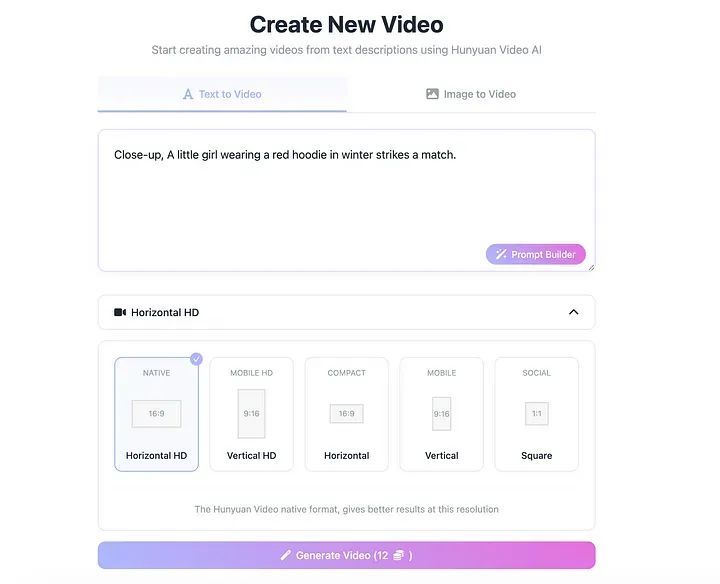
Here's an example:
- Prompt: A giant panda riding a bicycle through a busy city street, the image is full of fantasy and energy.
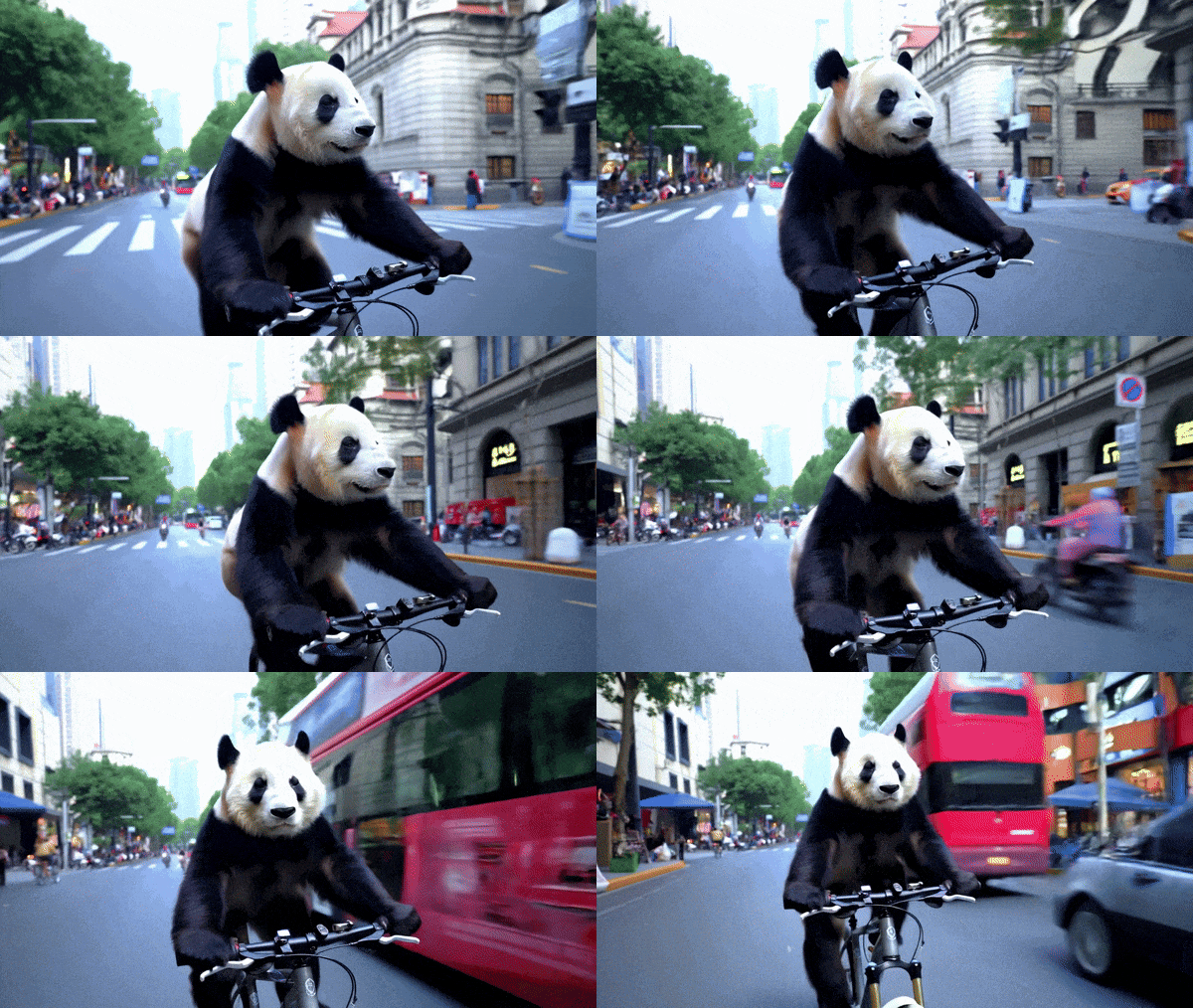
The resulting video is decent, but note that it's not on the same level as Veo, Kling or Runway. It's a good tool for learning and prototyping.
What's unique about hybrids - it supports customized LoRA (low-rank adaptation) training for video generation.
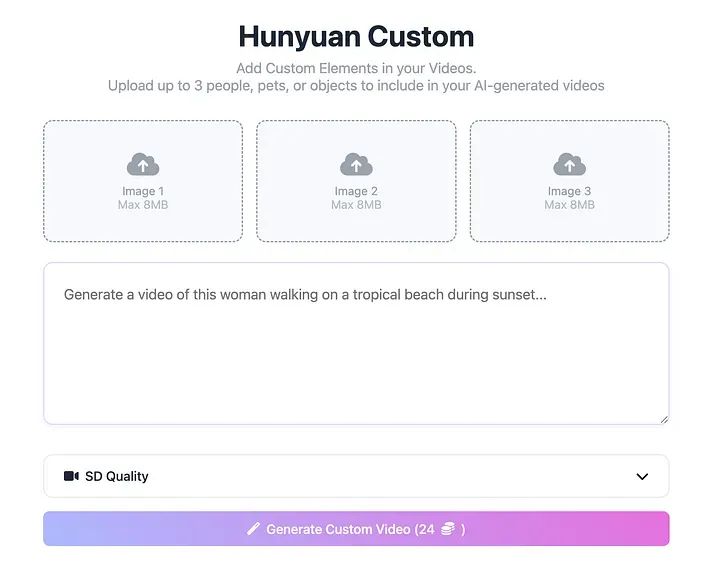
You can upload up to three characters, pets, or objects and incorporate them into your AI-generated video. This level of personalization is something most major foreign models don't yet support natively.
This feature is brilliant for creators who want to experiment with personal videos, niche characters or brand-exclusive content. It allows you to inject your own style or subject matter into the results generated by the model - a practice I sincerely hope more platforms adopt in the future.
PixVerse AI
PixVerse AI isn't the most advanced video generation tool on this list, but it offers one of the most full-featured control panels in the video generation dashboard.
- website:https://www.1ai.net/3268.html
See the user interface below:
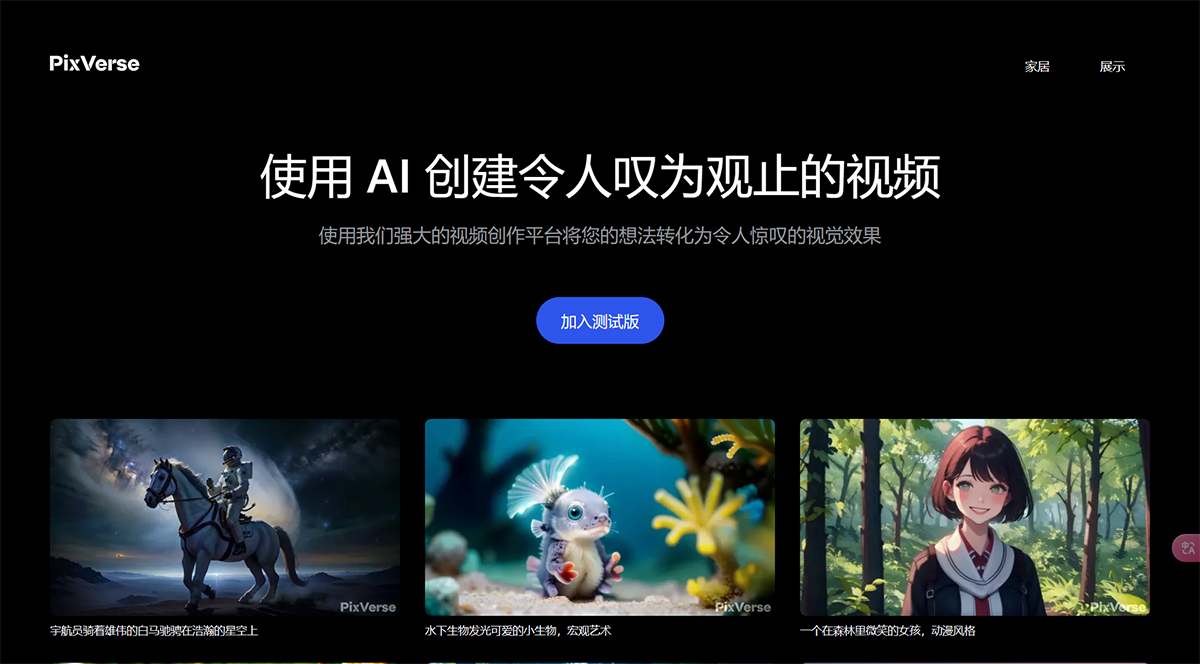
One of the things I love about PixVerse AI is how well it understands the context of a given image. For example, if you upload an image containing three characters, it will animate each character individually and place them in a super cool background.
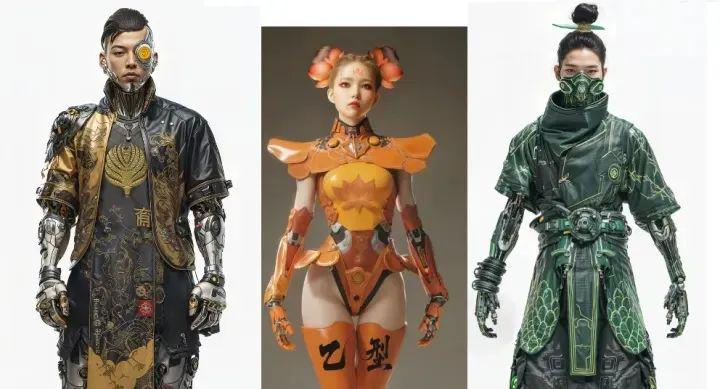
- Prompt: close-up, three cyberpunk character busts, looking up, in warehouse, camera rotates left
Here's the generated video:
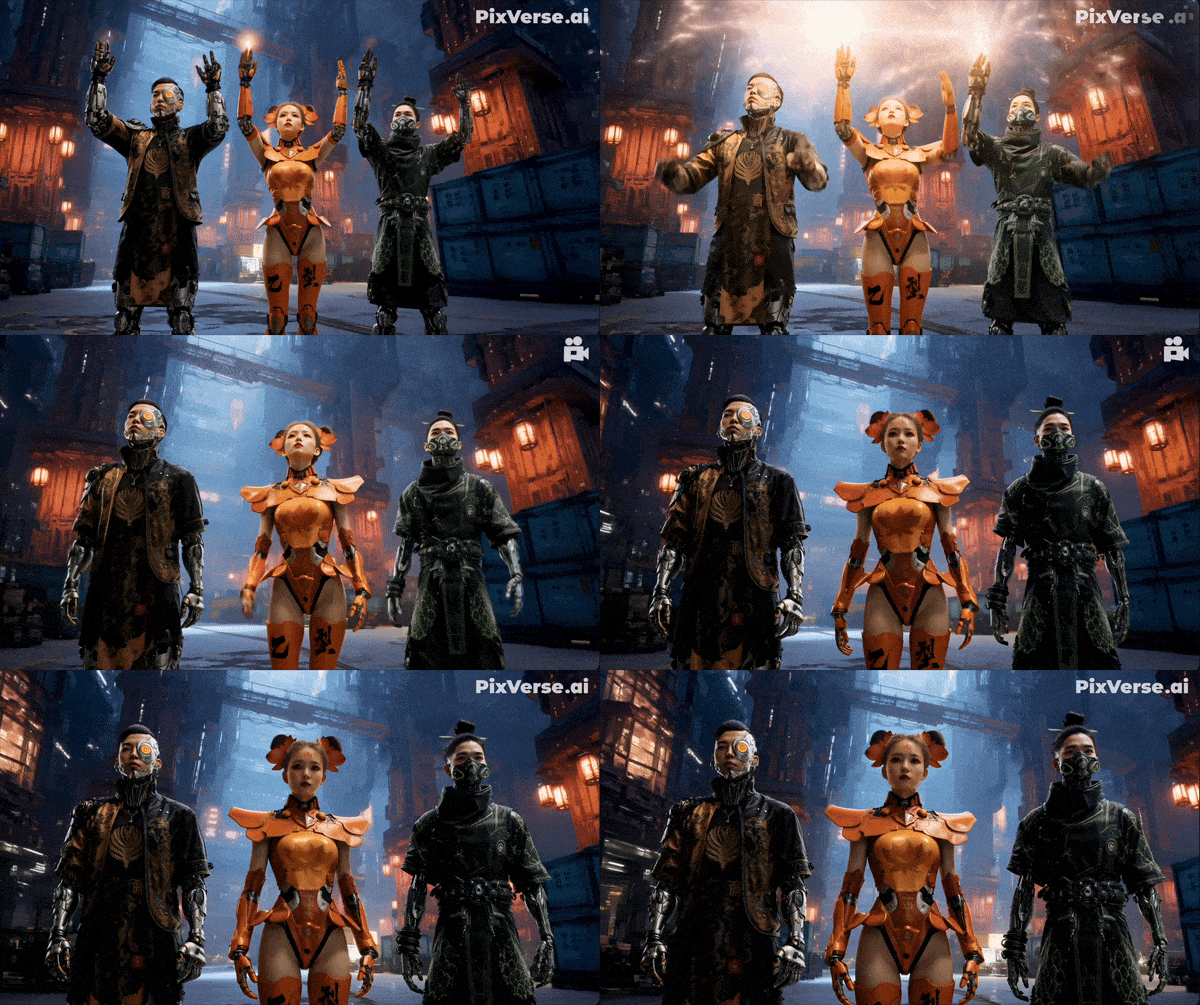
Videos can be generated from text or images. I've found the "image to video" workflow to be the most useful. You can upload a still image and then use PixVerse's Magic Brush to animate parts of it. The process is very intuitive. Just mark the area you want to move, draw arrows to indicate the direction, and you're done. You get fast results that are easy to modify and optimize.
No, it's not quite on the level of Sora, Veo or even Runway Gen 4. But you don't always need cutting-edge models to tell an interesting story or practice your video workflow.
If you're learning or just getting started with AI video, PixVerse is one of the best places to start right now.
summarize
Whether you're just getting started with AI video tools, or you're already an advanced user and just looking for something better than what you're currently using, I hope this list will point you in the right direction.
That said, these platforms are evolving at a very fast pace. The video models that drive them are constantly improving and features can change overnight. So don't just stop at my examples, be sure to check out their websites for yourself and try out the latest updates. Their experience may already be very different from when I wrote this article.