



Recently many users want to learnalso called Pilgrimage the West or Monkeylit. fetch scripture from the Western ParadiseAI VideoVlog, because it's really too hot!
As a big hit across the internet with over 900,000 likes, I'm sure you've all swiped on it. These types of videos have actually been very hot for the last month or two.
From Veo3-produced foreigners traveling through ancient battlefields to Bigfoot videos and now to the Westvlog video, all of which fall into the same category of different topics.
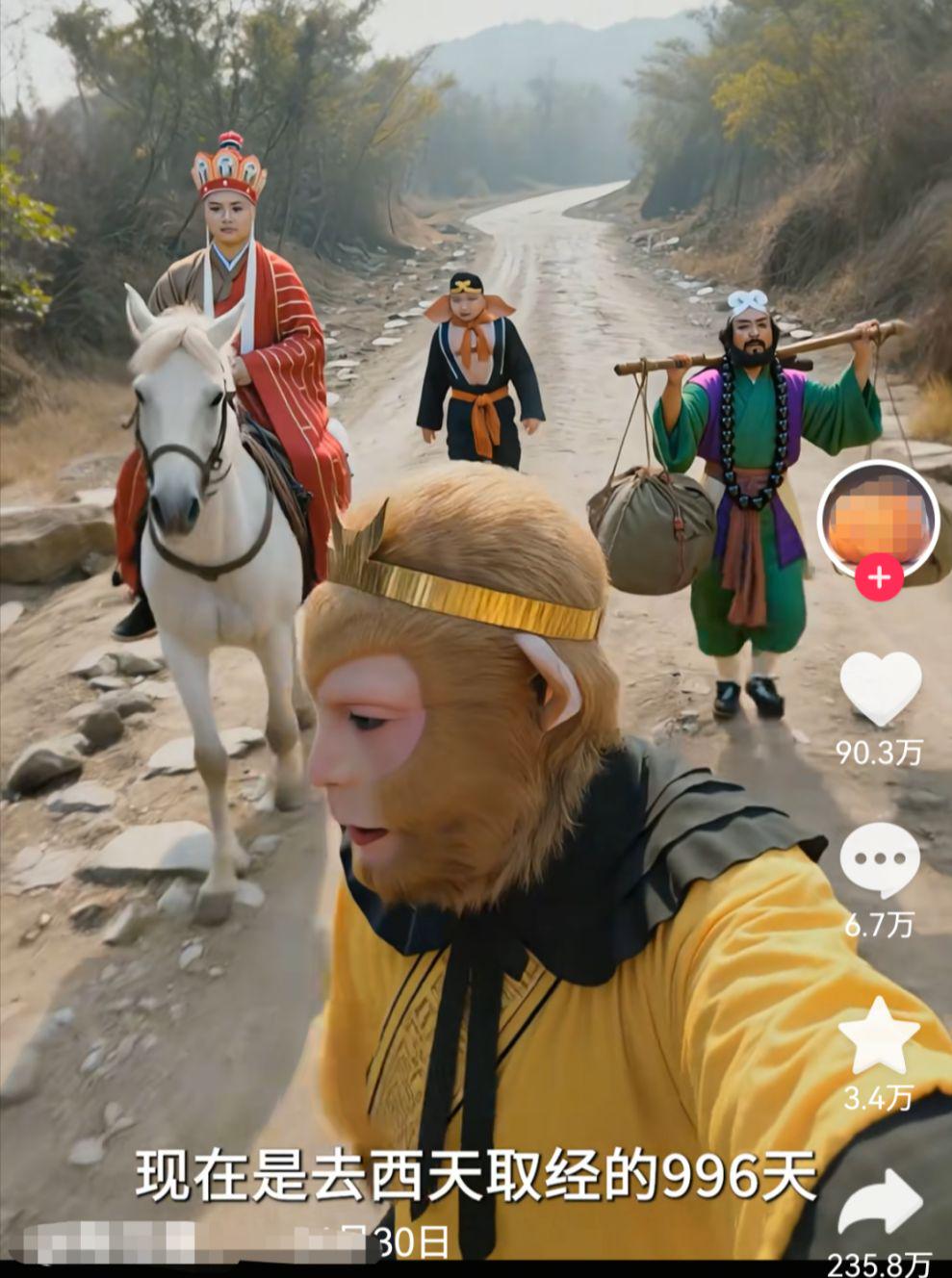
Today, we're going to give you a whole family break down, and after watching this tutorial, everyone will be able to learn how to do these types of videos.
Vlog videos consist of three main core elements: images, video clips, and voiceovers.
Each link has a corresponding procedure.
In order to facilitate the use of most of the domestic fans and friends as well as reduce the production cost, today's tutorial we do not use Veo3, all with domestic tools for the ping pong.
Without further ado, get your little book ready and officially enter today's dry mini-class!
The first step is for DeepSeek to generate oral copy
DeepSeek Address:
https://chat.deepseek.com
Turn on DeepSeek
Choosing to network to search and think deeply
dialog box to enter a prompt word:
You are a short video blogger, please refer to the copy I gave you to the perspective of the Monkey King to imitate the writing of 5 paragraphs of similar style, in line with the style of the explosive short video Vlog copy: Now it is to go to the West to fetch the scriptures of the 996th day, just saved the master from the mouth of the demon, the master is still hot, we set off without stopping, do not know that we have gone for almost a day. Now is tired, have to hurry to find a place to rest, otherwise there are monsters captured master can not catch up.
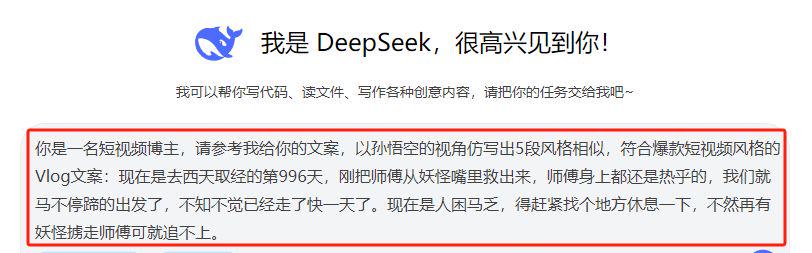
Getting a dialog message
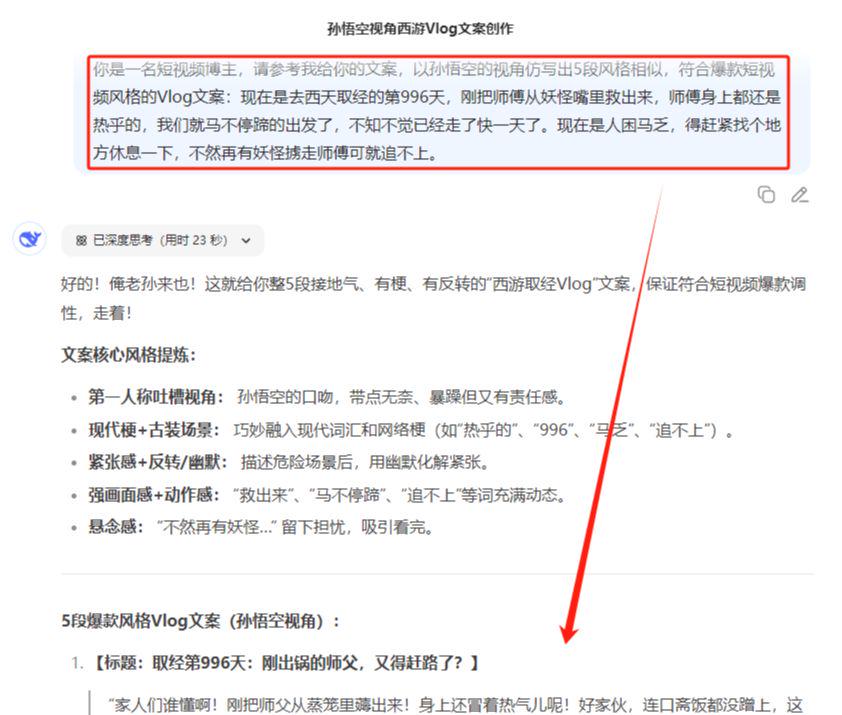
Choosing the right copywriter
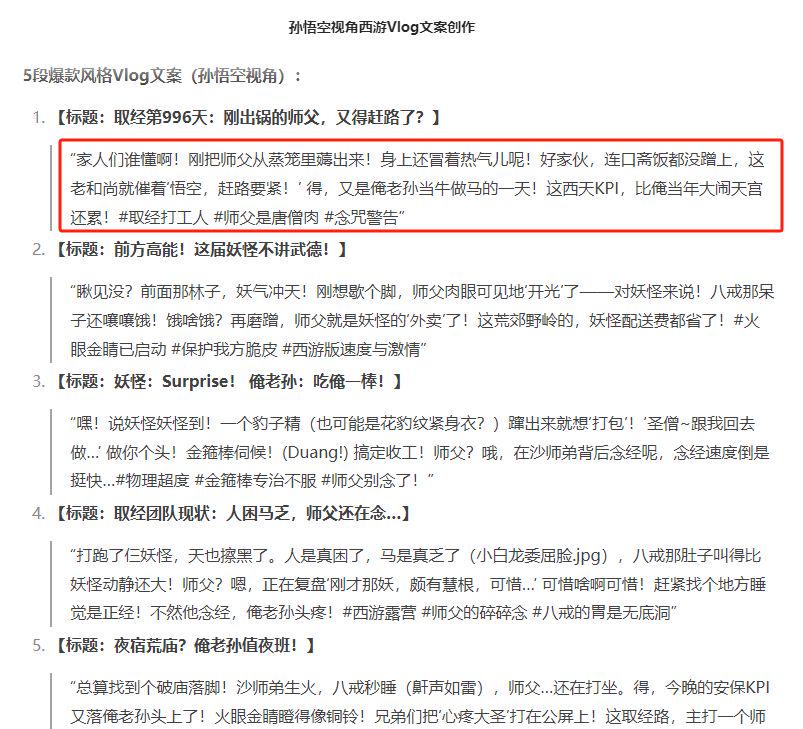
The text reads as follows:
Families who understand! I've just pulled the Master out of the steamer! He's still steaming! He hasn't even had a bite to eat, and the old monk is urging me to hurry! Well, it's another day for me to be a cow and a horse! This KPI in the Western Heaven is even more tiring than when I was in the Heavenly Palace!
Step 2: Vidu Multi-Photo Reference Generation Video
The AI video tool's multi-image reference function, which allows unlimited reorganization of any character, scene, special effect, etc., is used very frequently in maintaining the consistency of the character's subject.
At present, the domestic AI video tools, the effect of the better Vidu and can Ling AI.
Here I choose Vidu, which can stagger infinite generation and is more cost-effective, to demonstrate.
Before you officially use it, you need to prepare in advance the different characters you want to put in the same scene, such as stills, or any other type of photo you want.
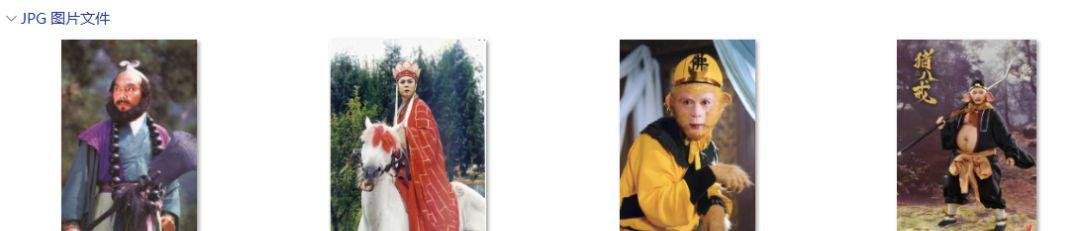
Vidu address: https://www.vidu.cn/create
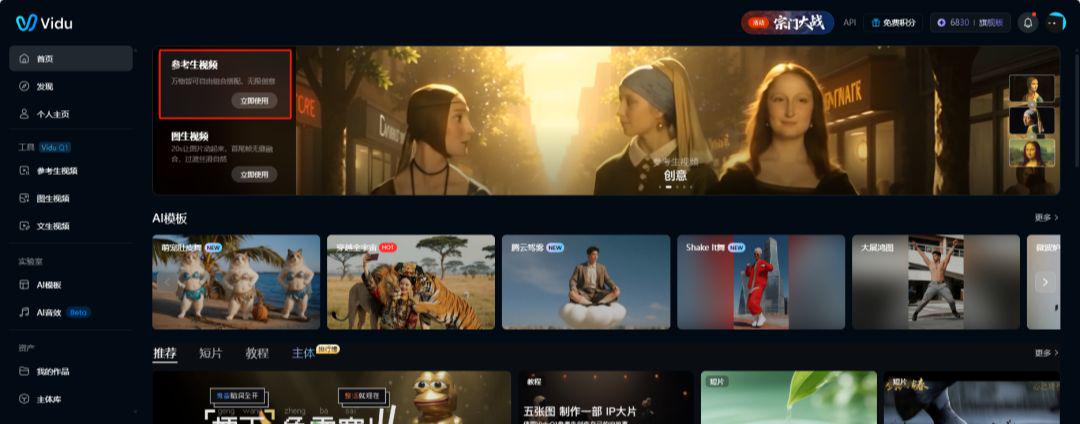
Open Vidu
Select Reference Raw Video
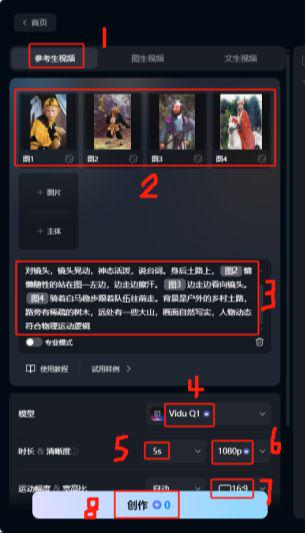
Upload character pictures in order (up to 7)
Add a descriptor
Select Vidu Q1 model
Duration 5S
Clarity 1080P
Ratio 16:9
Click to create
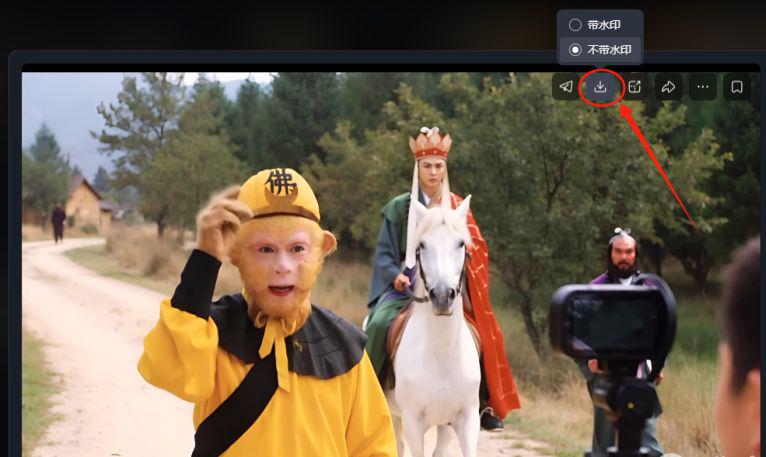
Select video clips that work well
Click to download and save
Step 3: NOIZ performs tone cloning
There are more tools to choose from for sound cloning, commonly used ones are Minimax Overseas Edition (requires magic internet access), NOIZ and so on.
Here I choose NOIZ, which can be used in domestic network and is free of charge, for demonstration.
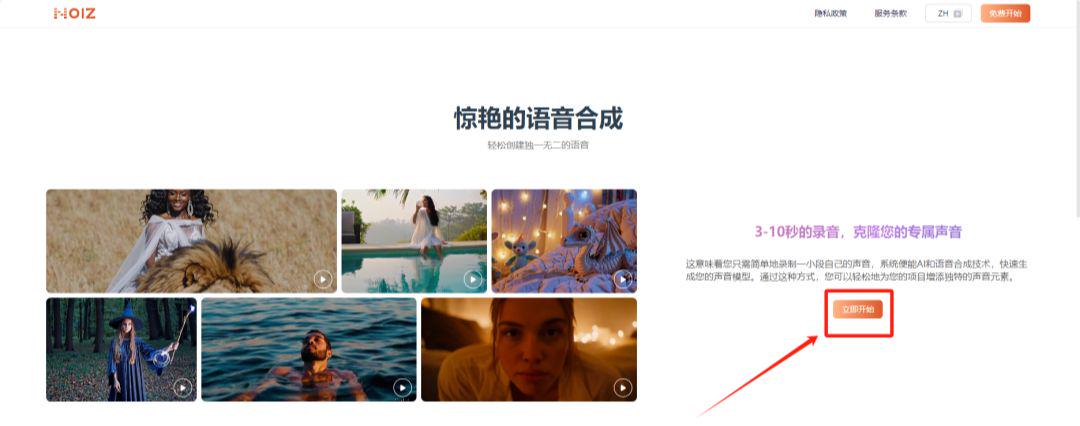
NOIZ address: https://noiz.ai/landing
Open NOIZ
Click to start now
First time user selects email login
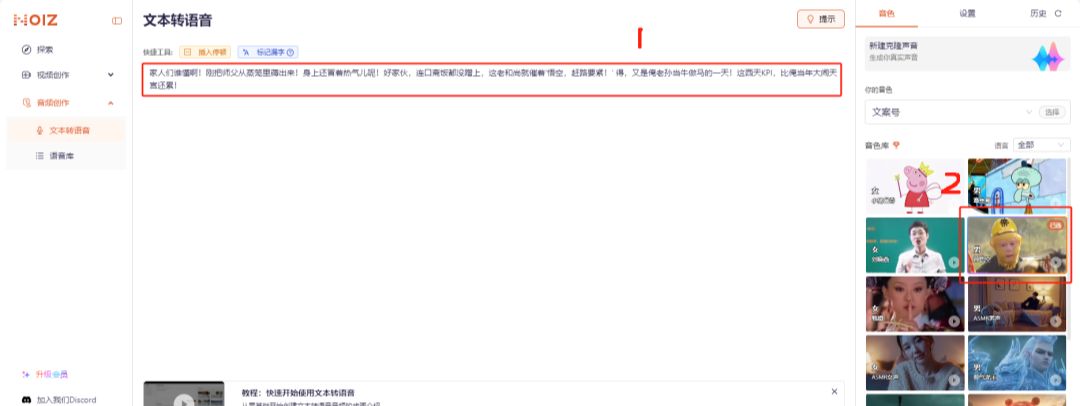
Select Text-to-Speech
Dialog box to enter the text to be dubbed
Audio Library Selection Sun Wukong
Click on Generate Speech
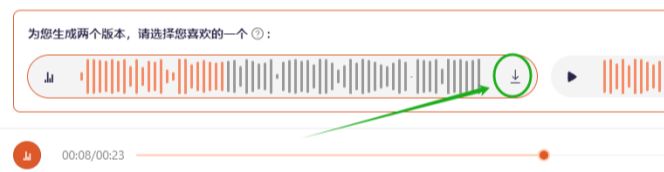
Waiting for generation
Download and save
Step 4: Kerin AI multi-character lip-synching
There are two main types of counterpoint: single character counterpoint and multiple character counterpoint.
Here we have chosen to demonstrate this by using a Koring AI that can be lip-synched by multiple characters.
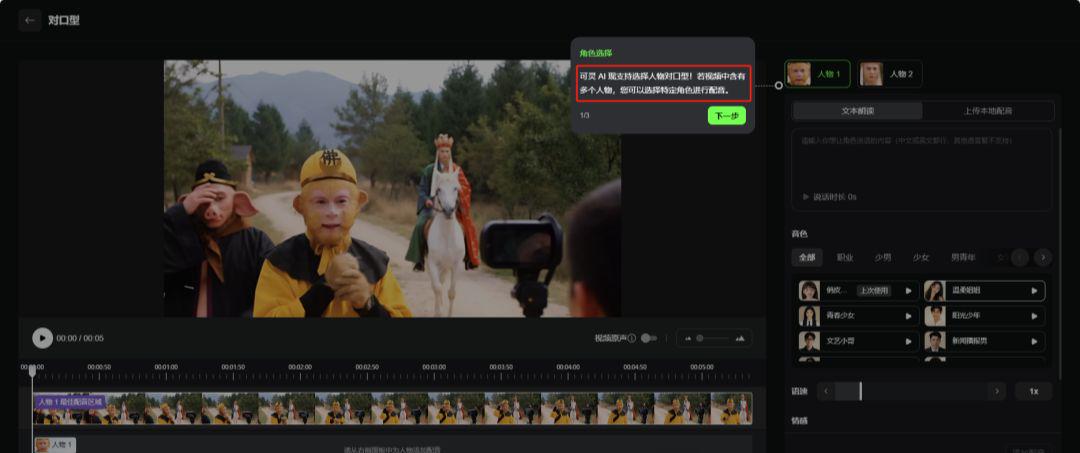
Koring AI: https://app.klingai.com/cn/
Turn on the Kringle AI.
Click on All Tools
Selecting a Counterpart
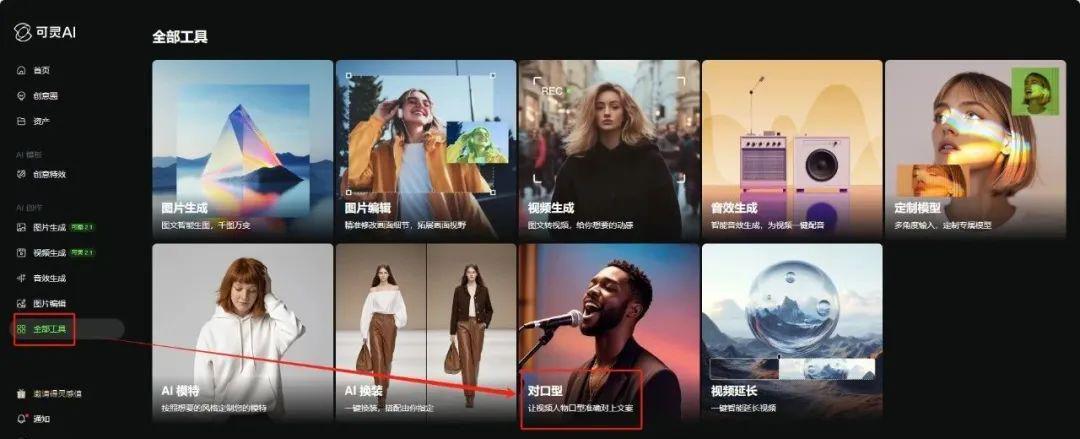
Select Character
Upload cloned audio
Adjusting the duration (time and screen alignment)
Click Generate Now
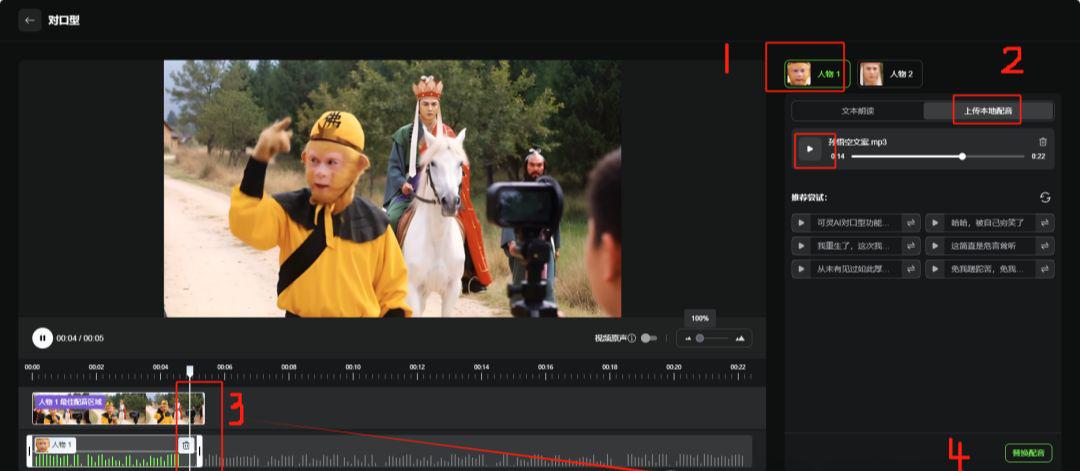
Waiting for generation
Download and save
This way a first person AI video vlog clip of Journey to the West is finished!
You can generate a few more video clips when making, and finally combine them into a small short movie with the cut screen editing.