



It's a simple video that's been done by a lot of people today, remember, but it's been done once in the past, but it's much better. Look at the screenshot I've shown to you, there's more than hundreds of thousands of hits, so many people like this kind of healing video and are willing to make data。
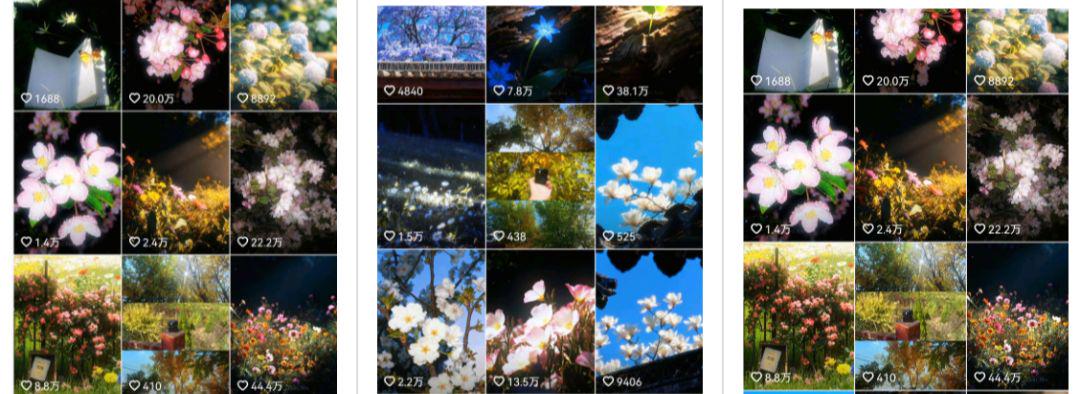
After reading this video case, it must feel as simple as that. Why is there such a good flow? Even if there's traffic, how can it be realized
Now, let's say that the normal way to realize this video is simple:
1. Flow distribution
2. Window belts
3. Disassembly in private domain
Step 1: Generate hints
You can find the video, then you can export static images of the video in the clip, and then you can reverse the hint through the bean bag. As shown in the figure below, the above figure is the production of static frames in the clips and the following is the inverted hint in the bean bag。
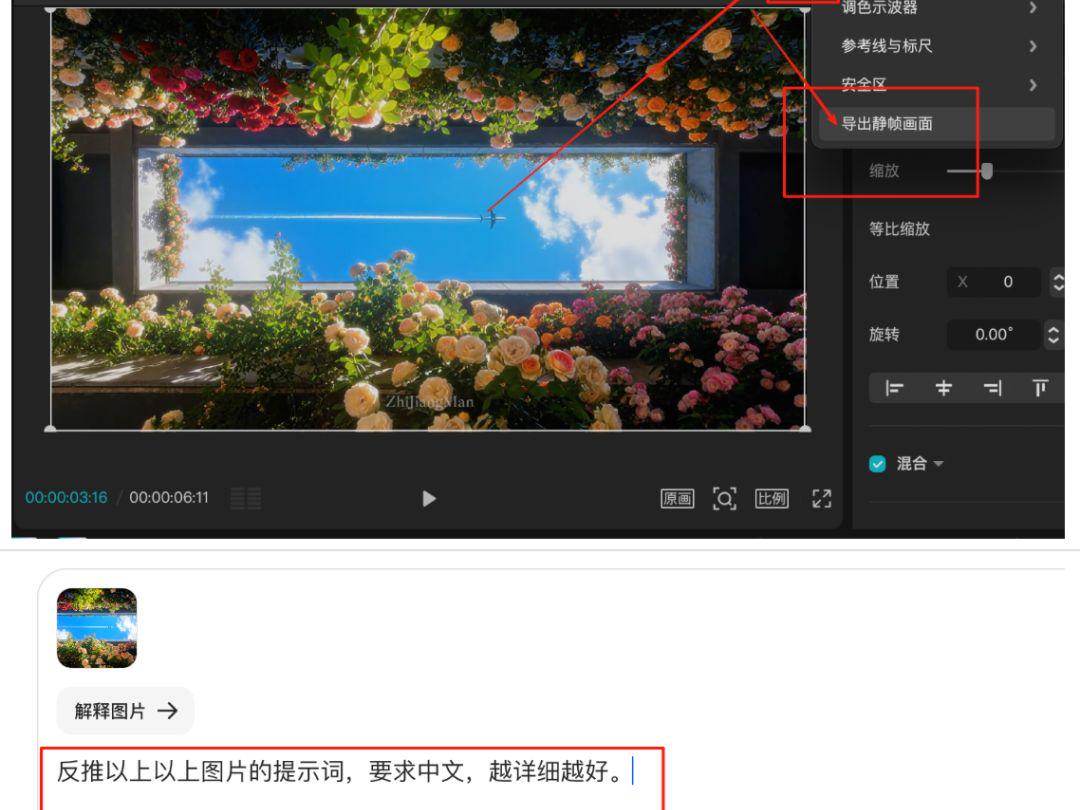
The inverted hint in the bean bag is as follows:
A romantic photo project with a square building window surrounded by six coloured roses (including red, pink, orange, white, etc.) outside the window is a blue sky, with a white cloud flying through and a white tail; a bright natural light is used in its entirety, a light is mistled to create a fresh and hierarchical vision, a new image is cured, full of the beauty of nature and the human landscape
Step 2: Generate images
we've already got the texture in front, and we'll just have to put it in a picture. click on the skills selection " generate pictures" in the bean bag, seedream 4.0, scale 16:9, copy the preceding hint and click on generation。
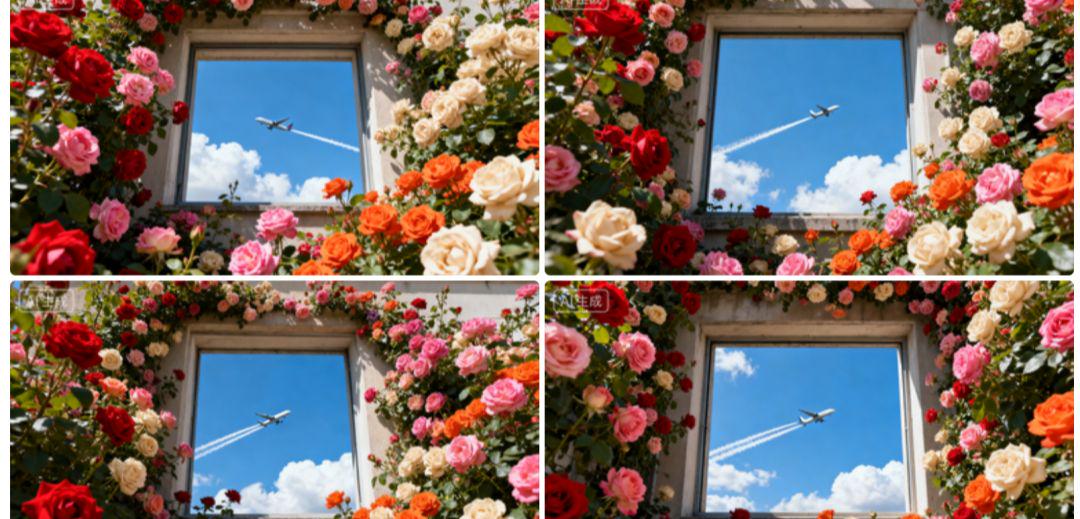
Step 3: Generate Video
There are pictures, and the next one is to turn them into videos, because they are simple, so just a simple hint。
Click the picture, zoom in to the right display area, then click the " Generate Video " button at the top right corner, and enter the following hint into the text area:
Fixed lenses, flowers blown by the breeze, flowers floating by nature, planes moving forward by nature
the video was produced very soon, and we were required to download watermarked videos, click on f12, enter the developers' mode, and then play the video, following the steps of figure 1, 2, 3 and 4 below, to get a watermarked video, then click on the bottom three points of the right and click on the download。
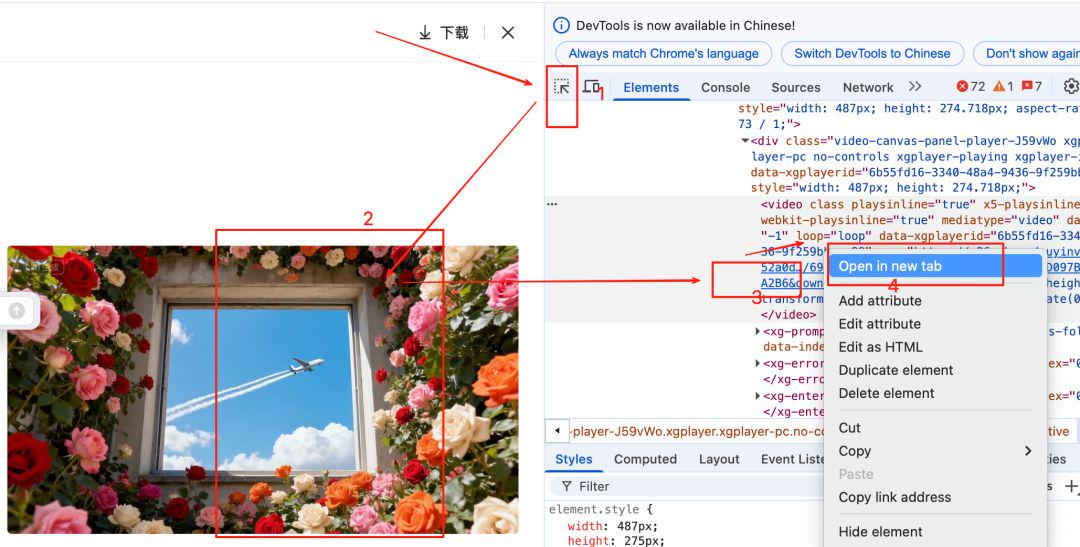
Step 4: Cutting and editing the movie
We're going to import the video into the clip, and then we're going to put it in a curable background music, and we're going to add the switch, and we're going to see if we need to add subtitles, and we're going to adjust some details, and we're going to export Ok。