



HOW TO USE AI TO TURN A PICTURE INTO ONE THAT CAN BE PUT INPublic AccountTOP MAP POSITION GIF

Keep your layouts up and running. When you want to change your content, you can edit it at any time, and you don't have to design and use complex software, so you can do it on a zero basis
ALL WE NEED IS AN AI TOOL AND A PHOTO AND ONE OF YOUR INSPIRATIONS
TODAY, I'M GOING TO TEACH YOU HOW TO CUT IT WITH AN AI + AND DESIGN ONE OF MY OWNGIF ANIMATION.
THIS GIF IS VERY WELL PLACED IN YOUR TOP PUBLIC PROFILE TO ADVERTISE, ADVERTISE, SLOGAN AND MARKET AT DIFFERENT TIME POINTS. AND THE SIZE CAN BE DESIGNED FOR ITSELF AND CAN REPLACE WHAT'S ON THE MAP AT ANY TIME. IT'S REALLY GREAT
IN ADDITION TO THE CURRICULUM, THERE IS A LOT OF DRY STUFF IN THIS BOOK, INCLUDING DRAWING METHODS, FUNCTIONAL RESOLUTION, RECOMMENDATIONS FOR MAPPING TOOLS, THE CURRENT POPULAR STYLE OF THE GRAPHICS AND ALL-POWER KEY AI TIPS, WHICH MUST BE CODED FIRST
Step 1: Plan your ownIMAGE OF IP
A LONG-TERM GIF MAP FOR THE TOP PUBLIC MAP MUST BE PLANNED FOR THE INFORMATION, STYLE AND PROGRAMMING。
“
It was mentioned that it can be made free of charge because there are many low-cost, lazy methods:
1 That is to say, the dream delivers points per day, with less consumption of the derived maps
Two, that's dream points
It's a big surprise
The free function is actually enough, but this idea can really do a lot。
It is crucial to plan this step in advance, because the credits, although delivered daily, are, after all, limited. It'll save you money and points if you plan ahead
BECAUSE NOT ONLY DOES THE AI-MODE GRAPHICS, BUT ALSO THE GRAPHICS, THEY DON'T ALWAYS PRODUCE YOUR SATISFACTION, AND THE PROCESS OF FINE-TUNING THE CARDS CONSUMES YOUR POINTS。
FIRST OF ALL, OPEN AN AI TOOL, AND WE'LL PRACTICE WITH A DREAM AI。
A photo of yourself can be uploaded (it can be an image or other photo of your face)。
Hint:
3D ANIMATED ROLE BASED ON THE IMAGE OF A REFERENCE FIGURE. Q-STYLE, CUTE MINI DOLL. HE WAS WEARING BLACK GLASSES, LIKE THE REFERENCE FIGURE, A BLUE DOUBLE-BUTTONED SUIT AND TIE, AND A WARM AND GENTLE SMILE. THE RIGHT HAND, WITH A BRIGHT RED ROSE, STRETCHES FORWARD AND MOVES FORWARD. QUALITY 3D RENDERING, PLASTIC SENSE OF THE BLIND BOX, LIGHT OF SOFT AND STUDIOS, CLEAN AND SIMPLE GREY BACKGROUND, PIXEL STYLE, C4D DESIGN。
This is the dream of a two-way solution: "Photo Generation" and "Agent" mode。
[Photo Generation]:
Users need to manually enter detailed hints, or they need a step-by-step operation, such as a master re-editing background。
[Agent Mode]:
It is possible to automatically resolve vague demand and break it into sub-missions, such as model generation, clothing replacement, etc., and it is possible to move the tool to complete the whole process without the need for user intervention in intermediate steps. Zenium
How
In fact, both are based on the Seedream 4.0 model, and if you're not good at writing hints, the Agent model suits you; if you need to design your own instructions, it's okay to create them in pictures. You can try it all。
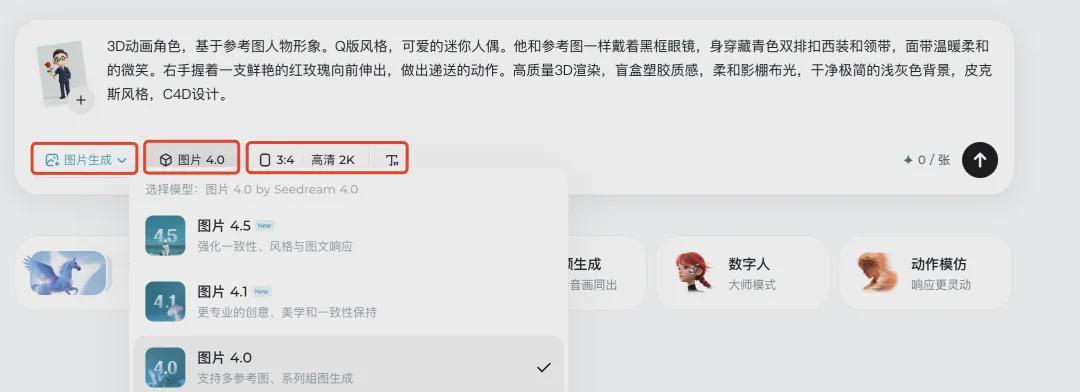
STEP 2: TURN IP IMAGE INTO VIDEO
UPLOAD TO GENERATE A GOOD IMAGE AND CONTINUE TO ENTER AI HINTS ON THIS BASIS:
3D CARTOON CHARACTERS, BASED ON REFERENCE MAPS. THE CAMERA STARTS WITH A BLANK WHITE BACKGROUND. THE REFERENCE FIGURE THEN WALKED FROM THE LEFT SIDE OF THE SCREEN TO THE CENTRE OF THE PICTURE, WHEREUPON HE RAISED HIS LEFT HAND AND GENTLY LIFTED THE BLACK-FRAME GLASSES ON HIS NOSE. IN THE END, HE WAS SMILING AND REACHING OUT HIS RIGHT HAND, HANDING OUT RED ROSES IN HIS HAND. KEEP THE PIXAR-STYLE HIGH-QUALITY 3D RENDERING, LIGHT, AND ALWAYS CLEAN WHITE。
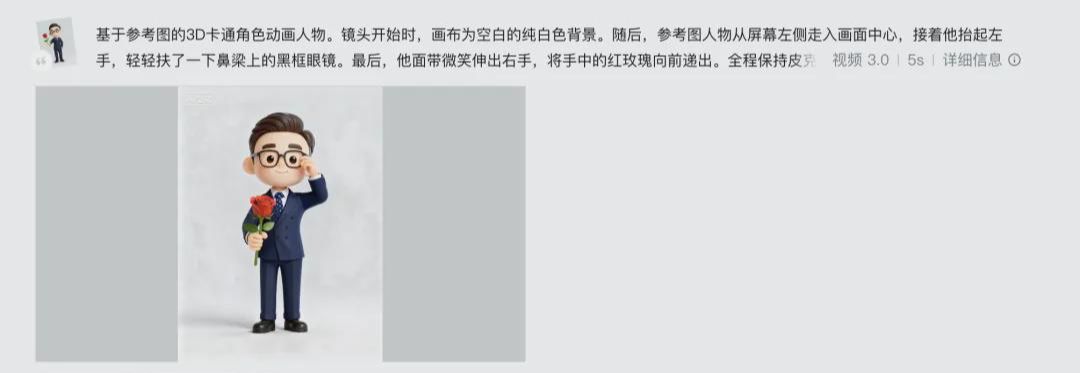
Tips:
1: Selected vertical version 3:4 contour + pure white background, which is very easy to map later
it's good enough to pick 5s for two hours, if you need a lot of information to think about 10s
Image models: Photo 4.0 actually meets these simple needs. Model 4.5 will be better in terms of image generation and aesthetic performance, and will therefore take longer than 4.0。
4. There are two solutions to the effects of dissatisfaction:
1 Continues to draw cards without changing the hints: subsequent generation may have less controllable effects and consume points
2 Appropriate changes to the hint: concretize demand, add keywords and add binding conditions。
STEP 3: A BACKGROUND FOR THE GIF ANIMATION
This is primarily about the use of scenes。
SO, FOR EXAMPLE, WE NEED TO PUT THE GIF AT THE TOP OF THE PUBLIC SIGN, SO THIS GIF MOVE MAY NEED TO USE THE BRAND-NAMED VI COLOUR AS THE BOTTOM FIGURE, AND MAYBE YOU NEED TO USE THE STYLE YOU LIKE. USUALLY, THE TOP PUBLIC FIGURE GIF DOES NOT NEED TO BE DESIGNED TOO BROADLY。
In order to improve the freedom of our editing at a later stage, you can first design a background map: open the usual graphics software. When you're ahead of schedule, you don't have to go back to your dream by hand。
Size: 900*200. (900 lengths can be maintained, 200 heights can be set on demand ~)
Then save this to your design folder。
Design tool recommendations:
1 WPS
THE WPS TEMPLATE AND THE CREATER STICKER ARE WORKING TOGETHER, SO YOU CAN DESIGN A RECTANGULAR BOTTOM MAP WITHOUT OPENING THE DESIGN SITE SEPARATELY。
2 PPT: NORMAL PPT CAN ALSO BE COMPLETED。
3 Online tools: bookmarks, draft designs, Canvas。
Step 4: Importing material to a cut
You need to import materials: videos from the last step, background maps。
The big guy himself made a blue background figure, as shown:
Click [import] to import two materials, then drag the background and then add the video. Make sure the video is above the background graphic layer。
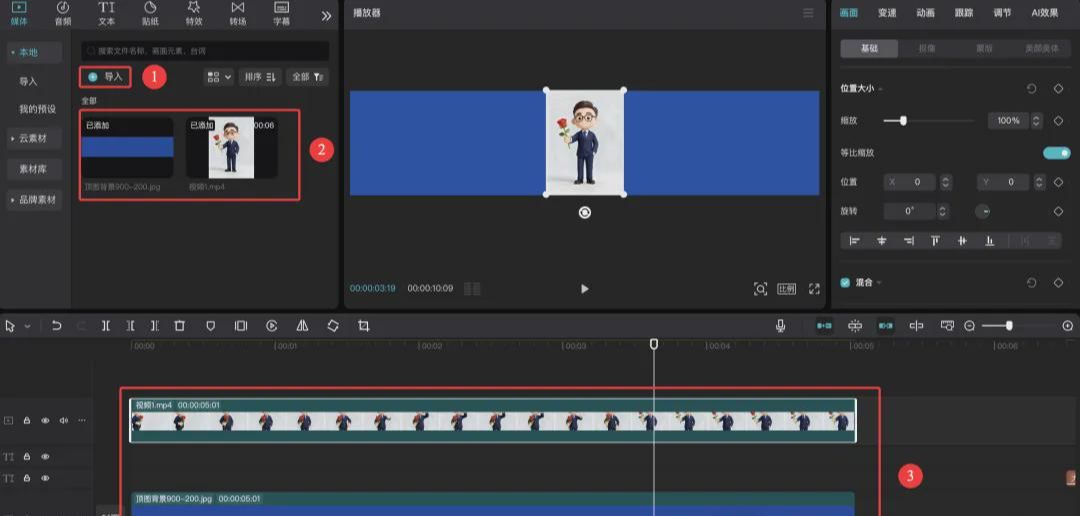
Simple Clip and Export
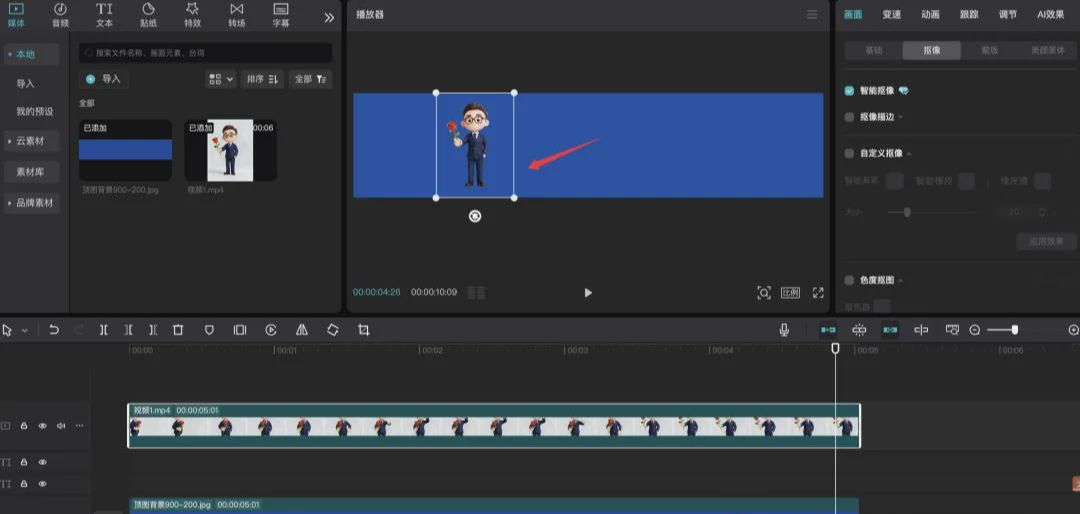
Image video material: click on video material, click on [image], select [intellectual image]。
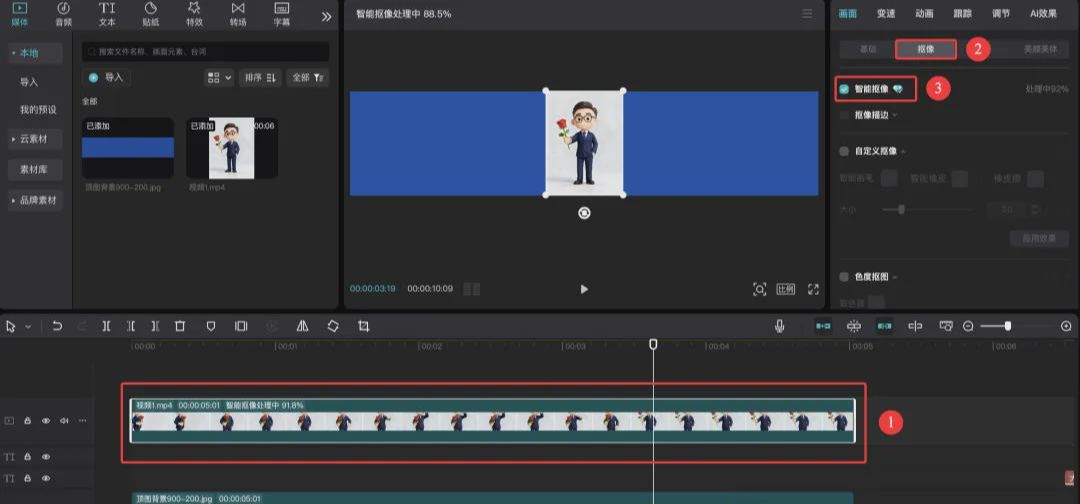
Image effect:
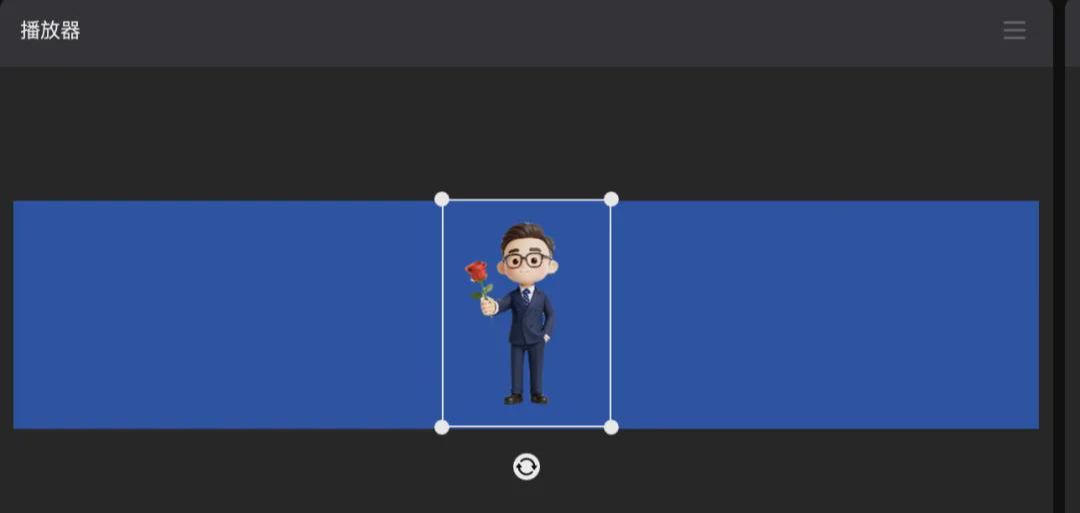
The pixels of the person who completed the image can be replaced on the canvas according to needs. Whether it's left or right depends on where the text is。
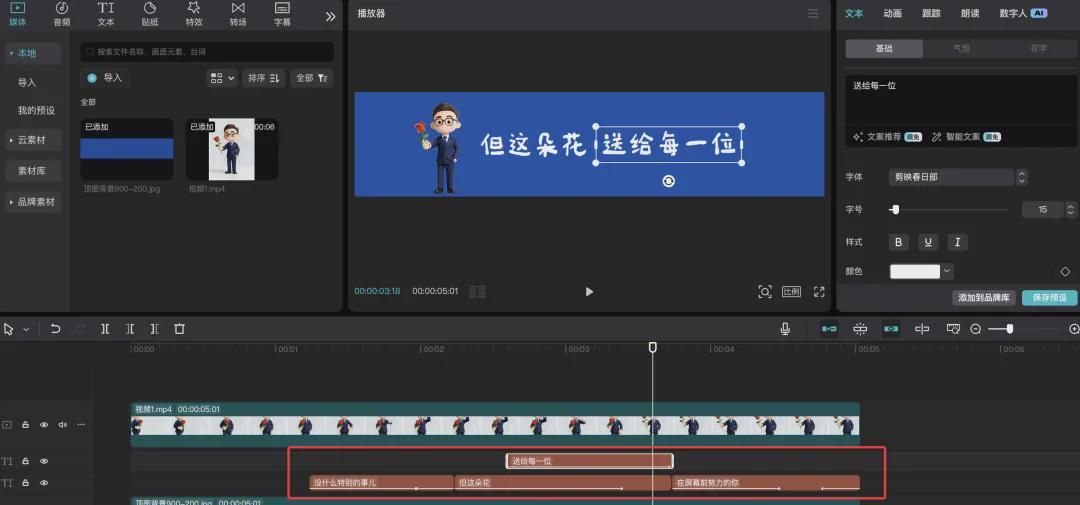
ADD TEXT TO THE GIF: THIS IS DONE IN THE CUTOUT ACCORDING TO THE TEXT YOU HAVE SET AND THE SEQUENCE IN WHICH THE TEXT IS PLANNED: ADD TEXT, ANIMATED EFFECTS, SET TIME, SET POSITION, ETC。
the most common and high-level animated effects: 1 s at the beginning, 1 s at the end。
When the settings are completed, you can use the mouse to drag or press space to preview the effects:
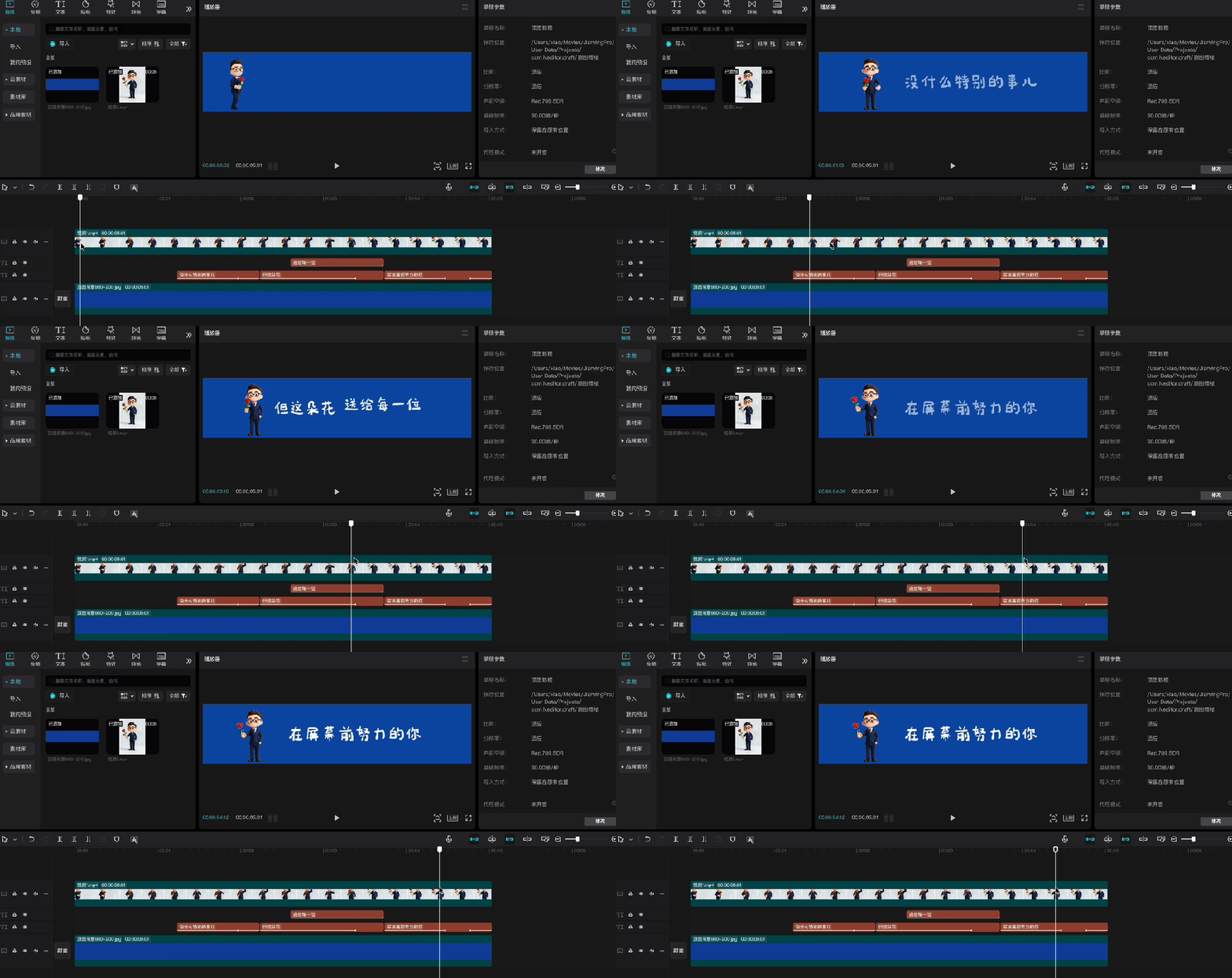
There is also a very simple way to add a little more effect and to increase the quality of the animation:
Click the background material to split it in the right place, find an effect in the [turn field] and apply it to the partition position。
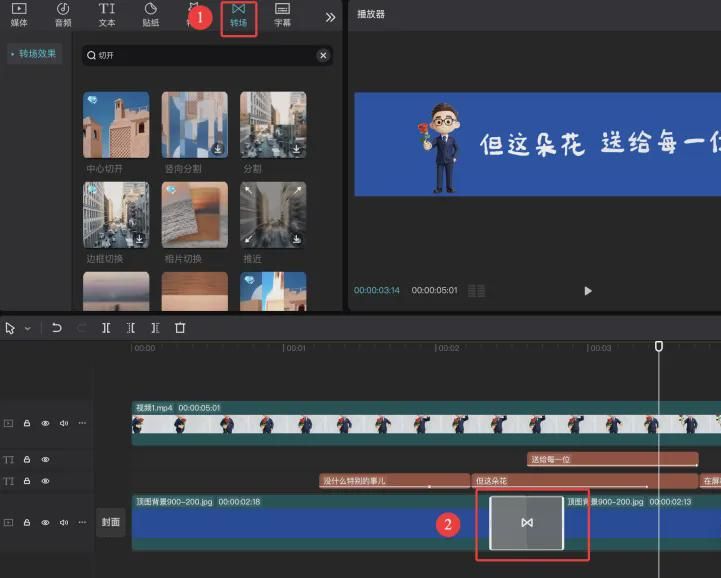
After completion, click on the [export] to the top right corner of the clip, then name the title and set the export position。
The point is:
1. EXPORT THE VIDEO WITHOUT TICKING AND SELECT [GIF EXPORT]
2. RESOLUTION (CONTROL OF GIF IMAGE SIZE):
THE PUBLIC NUMBER IS LIMITED TO THE SIZE OF THE UPLOAD, AND THE ACTUAL SIZE IS <10M. HOWEVER, BASED ON THIS CURRICULUM, THE OPTION OF 640 P IS POSSIBLE, WITH A PHYSICAL SIZE OF ABOUT 4M. IF YOU ADD A LOT OF MATERIAL, LONG ENOUGH, YOU CAN ADJUST THE RESOLUTION。
DESIGN GIF DRY CARGO SUMMARY
1 THE MOST COMMON STYLED KEYWORDS AND AI ALERTS (STORED!)
DON'T ENTER A HINT BEFORE YOU OPEN THE DREAM AI, SO YOU'LL GET A BUNCH OF USELESS PIECES AND AN INEXHAUSTIBLE GRADE。
YOU DO THE GIF, WHICH IS GOING TO TAKE OVER THE TOP OF YOUR P.O. FOR A LONG TIME, AND IT'S GOING TO MATCH YOUR ACCOUNT. BEFORE WE DO THIS, THINK:
[construction] text on the right side of the left or on the right side, the message must be either white or pure background, otherwise the text will not be visible, especially to the detriment of later maps。
Are you going to do the character IP, or the abstract symbol logo, or the specific office scene or something? Is there a suitable photo for AI
The most important thing is whether your account is on a friendly path or a high-tech wind
In order to facilitate your work, the four currently popular styles and the AI Generic Prompt have been put together, so that you can choose from among the following:
1 3D BLIND BOX FOR HAND-OUTS (FEASIBLE FOR EFFECT)
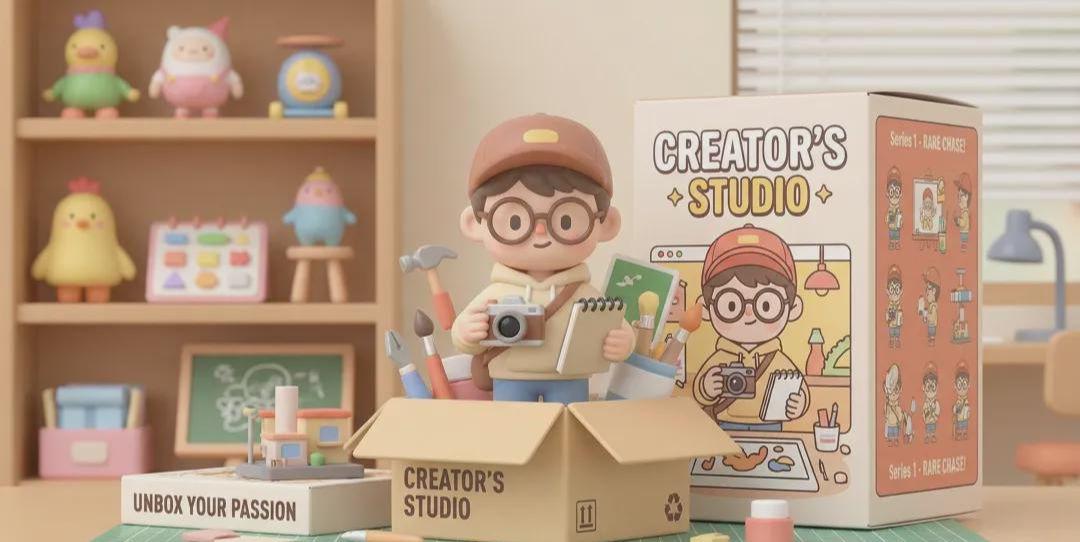
APPLICABLE ACCOUNT NUMBER: PERSONAL IP, LIFESTYLE, EMOTIONAL TYPE, DRY FIELD。
It's like an animated Pixar。
Core keywords: 3D render (3D reed), C4D style (C4D style), Pop Mart style (blowing the mutter box), Clay material, Soft studio lighting。
Two, very flat
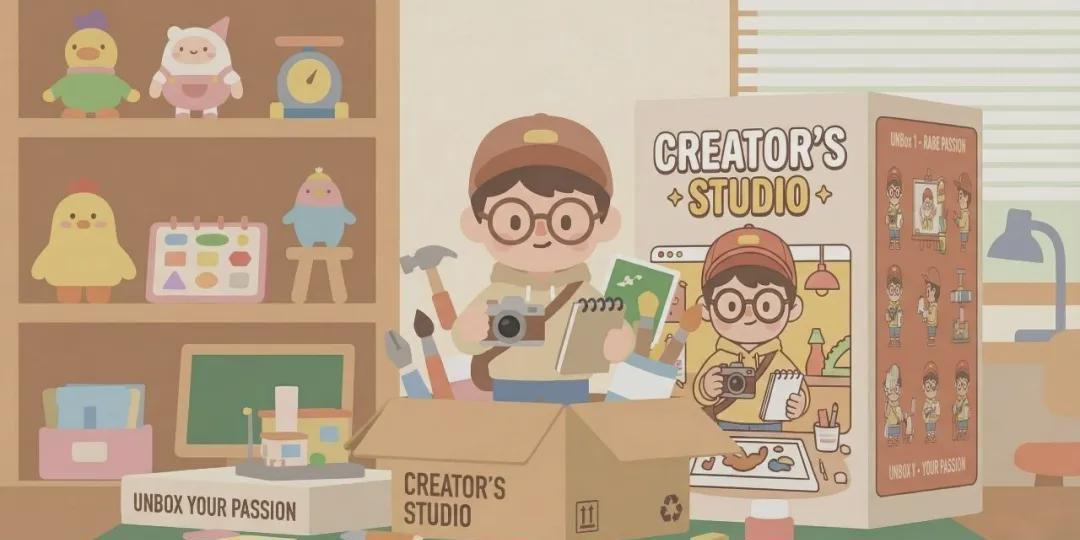
Applicable account number: Enterprise, tool, science, Internet。
Style characteristics: clean, professional, efficient, and unchallenged。
Core keywords: Frat regulation (blank illustration), Victor art (vector vector map), Corporate memphas (Munghis style, often used in large plant design), Minimalist (extreme simplisticism), Geometry。
3 The healing of paper art
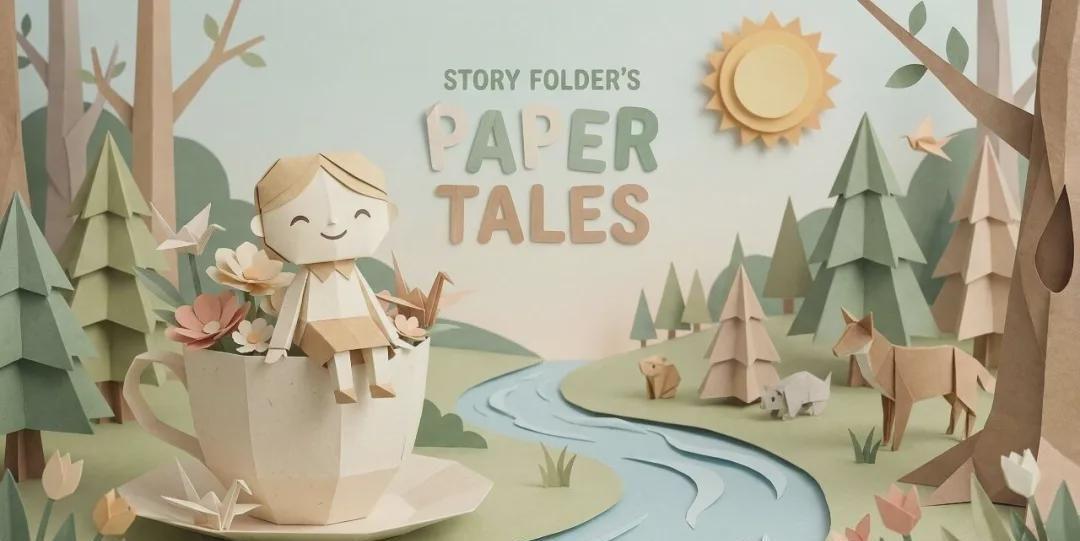
Applicable account numbers: literature, drawings, parent-child education, psychotherapy。
The style characteristics: they're so full of layers, so light, so warm and quiet。
Core keywords: PaperSmart cut style, Layered paper, Craft sense, Warm light, Dreamy。
4 Acid/Technology Wind
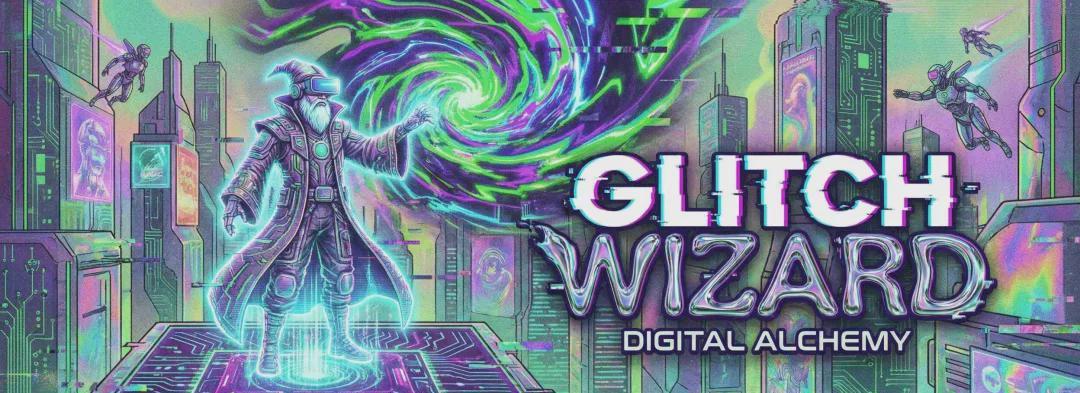
APPLICABLE ACCOUNT NUMBERS: AI TECHNOLOGY, TREND ART, DESIGN AESTHETICS, Z GENERATION TOPICS。
Style characteristics: Visual impact, bold color (e.g. neon, metal), sense of future。
Core keywords: Holograpic (holographic), Neon light, Glass texture (glass sense), Gradient (gravity), Cyberpunk (Sabbonk)。
2. THE EVOLUTION OF VINCENT ' S VIDEO: FIRST FRAME CONTROLS AI ' S BEHAVIOR
If video generation fails to achieve the desired result, we cannot draw infinity。
If you want people to come in first, then you can do it in two stages: two complex, continuous actions。
FIRST STEP: TO START WITH A GRAPHIC VIDEO, THE HINT ONLY REFERS TO “STEP TO THE LEFT AND STAND ON THE IMAGE” AND GENERATE VIDEO A. INTERCEPT THE FINAL FRAME OF VIDEO A AND SAVE IT AS A PICTURE。
STEP TWO: RE-POST THE LAST FRAME TO THE REAL DREAM AS A NEW REFERENCE, WITH THE PHRASE, "HAND UP THE GLASSES, HAND OUT THE ROSES" AND GENERATE VIDEO B。
FINALLY, WE PUT A AND B TOGETHER IN THE CUT. IT'S A LITTLE TROUBLESOME, BUT IT'S A WAY TO MAXIMIZE THE CLARITY AND STABILITY OF LONG-TERM ACTION。
All right, that's it
A YOUNG PARTNER WITH A PLAN TO OPEN A PUBLIC CALL HIMSELF, OR A FELLOW STUDENT WITH A PERSONAL VIDEO AND A GIF, COULD HAVE TRIED IN THIS WAY