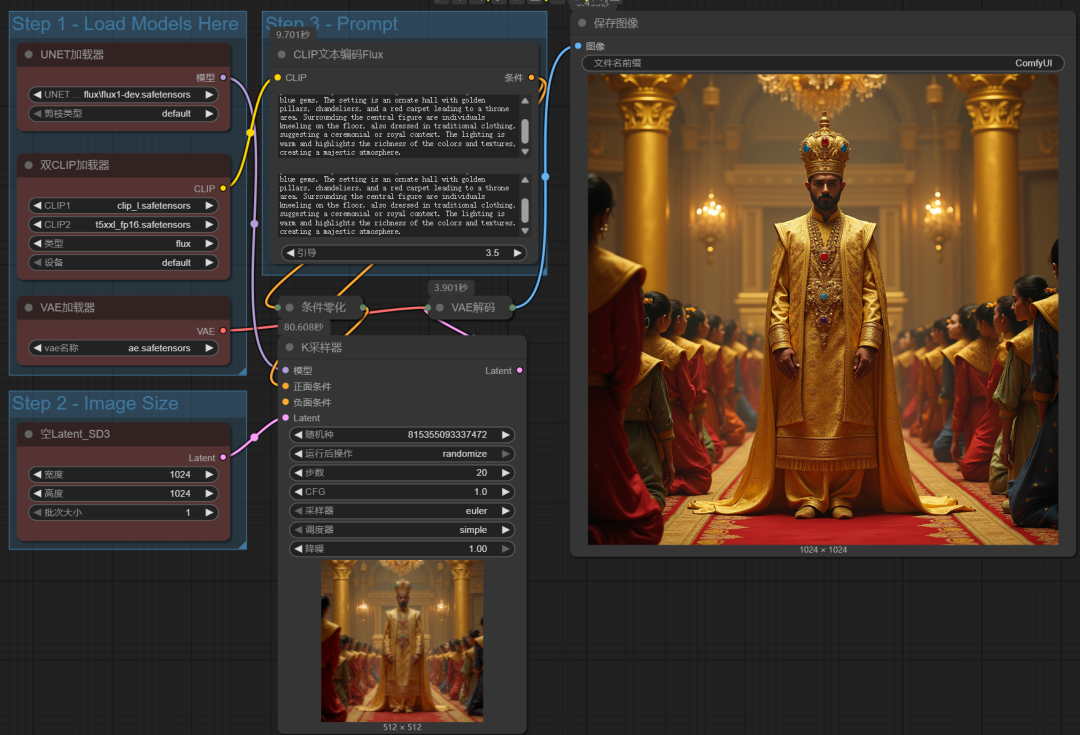
Why do other people writePrompt wordThe resulting images are so beautiful, the images are layered and very nice to look at?
And I can only type "1gril" after racking my brain ......
In fact, the development of AI to the present, with DeepSeek, GPT so many language models, who still write their own cue words ah, the work of writing cue words to the AI model, not only write fast, and write much better than their own.
We can fully embed DeepSeek into comfyUI, just enter the keywords, DeepSeek will automatically help us optimize and enrich the content of the prompt words.
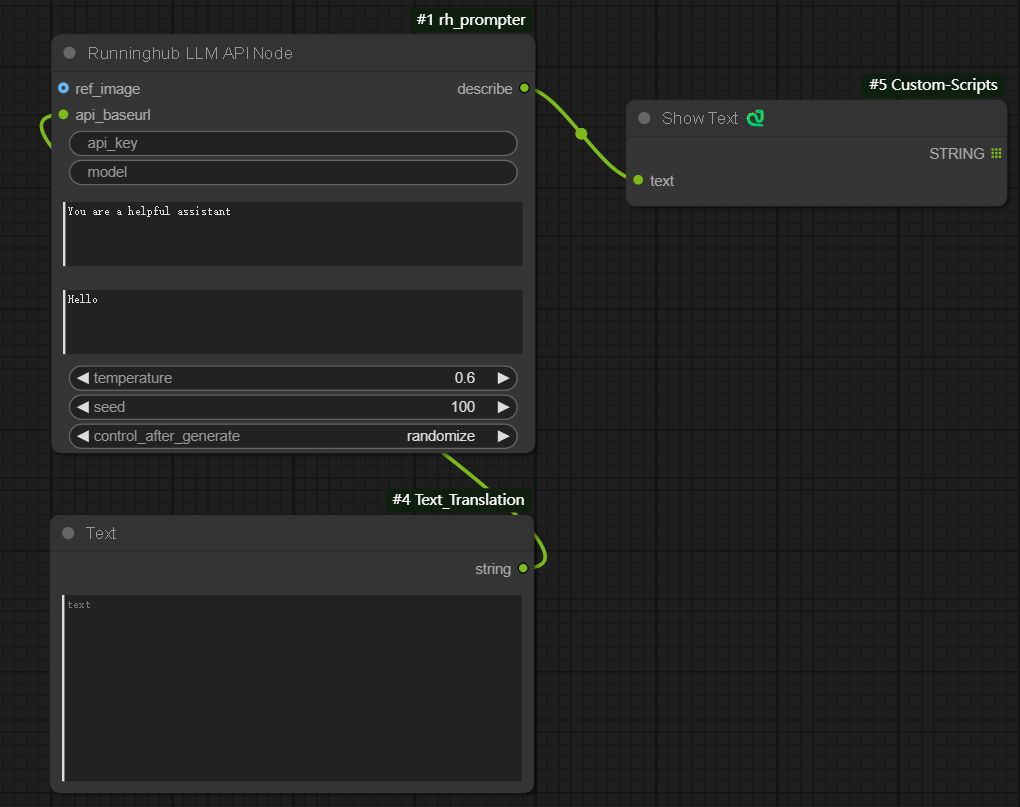
However, if you want to implement cue translation, cue optimization, and image backpropagation in comfyUI, you usually need to install different plugins, and there are more nodes and models to call.
Today, I'd like to introduce you to an all-in-one prompt word plugin, which doesn't need to load so many nodes and models, and is a complete one-stop-shop for all of these issues above.
First, the prompt word assistant plug-in installation
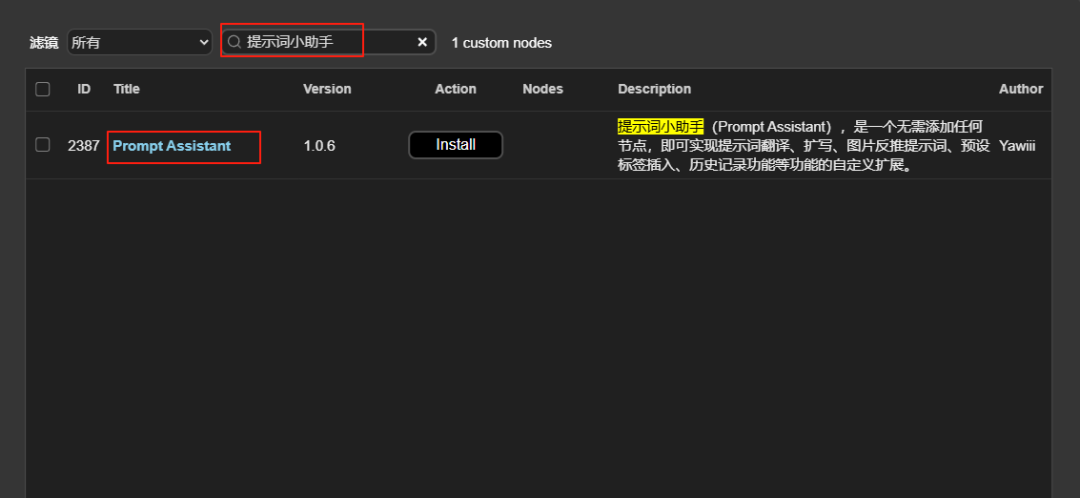
Search for "Prompt Assistant" in comfyUI's manager to find this plugin, and click to install it.
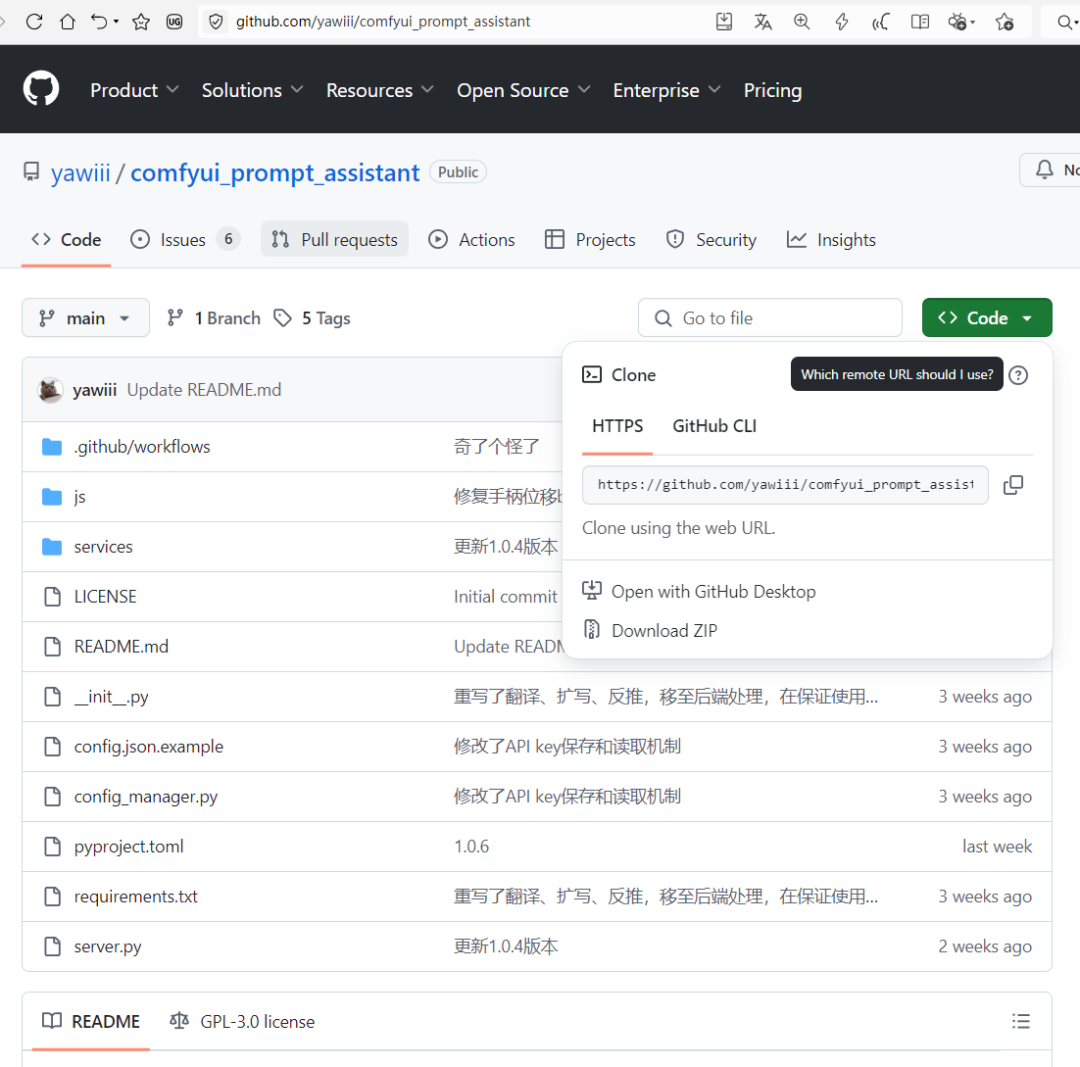
You can also install it via the github link for this plugin
https://github.com/yawiii/comfyui_prompt_assistant
More about the installation of the comfyUI plugin can be found in the article:
Second, get a free API
You need to use the full functionality of this cue word helper plugin (translation, cue word expansion and image backpropagation), and you also need to apply for the free API at Baidu and Smart Spectrum.
1, Baidu API application address:
Go to the following link to apply for Baidu API, and apply for "Universal Text Translation", "Free Experience Universal Text Translation API", "Individual Developer" in the order of the pictures. ".
https://fanyi-api.baidu.com/?fr=pcHeader&ext_channel=DuSearch
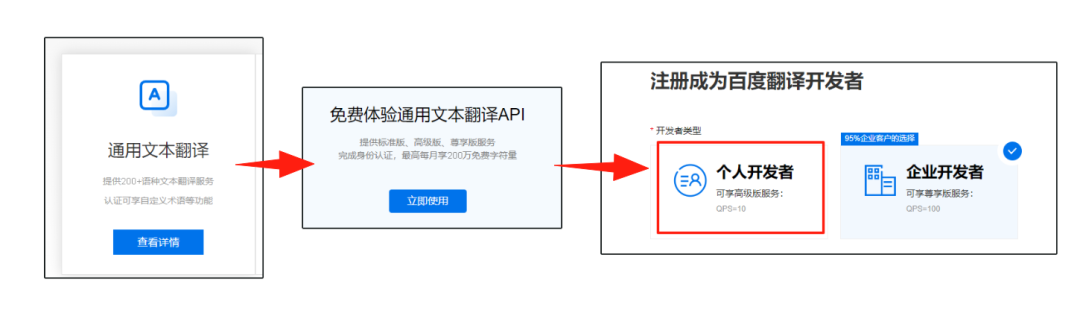
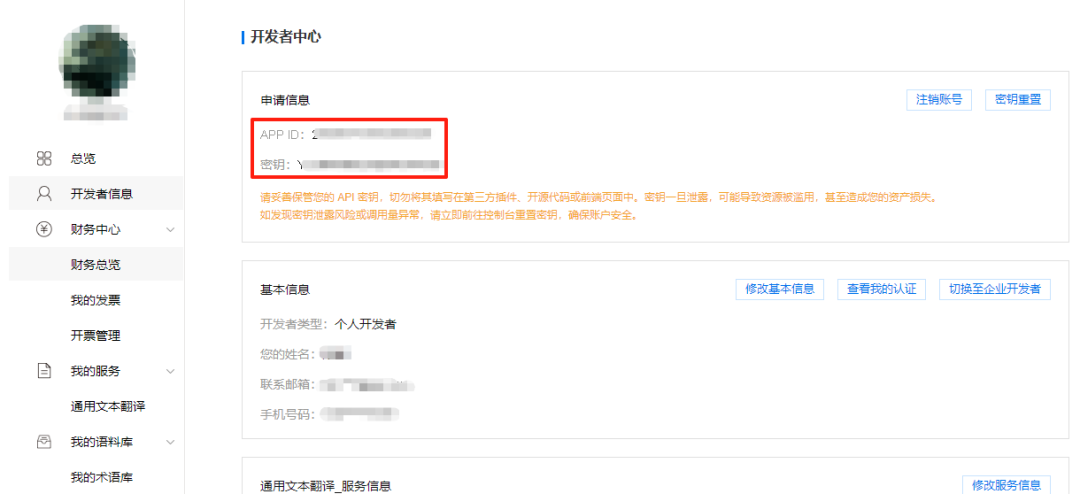
You need to have a real name when opening the Translation API, and you can get up to 2 million free characters per month after you have a real name.

Finally, you will be able to see your developer ID and key in your personal developer center.
2. Smart Spectrum GLM application address:
Apply for the Wisdom Spectrum GLM API via the link below:
https://open.bigmodel.cn/dev/activities/free/glm-4-flash
Also select "Individual Developer" when applying.
You will get 2 million tokens after applying and 55 million tokens if you are real.

3、Use the API in comfyUI
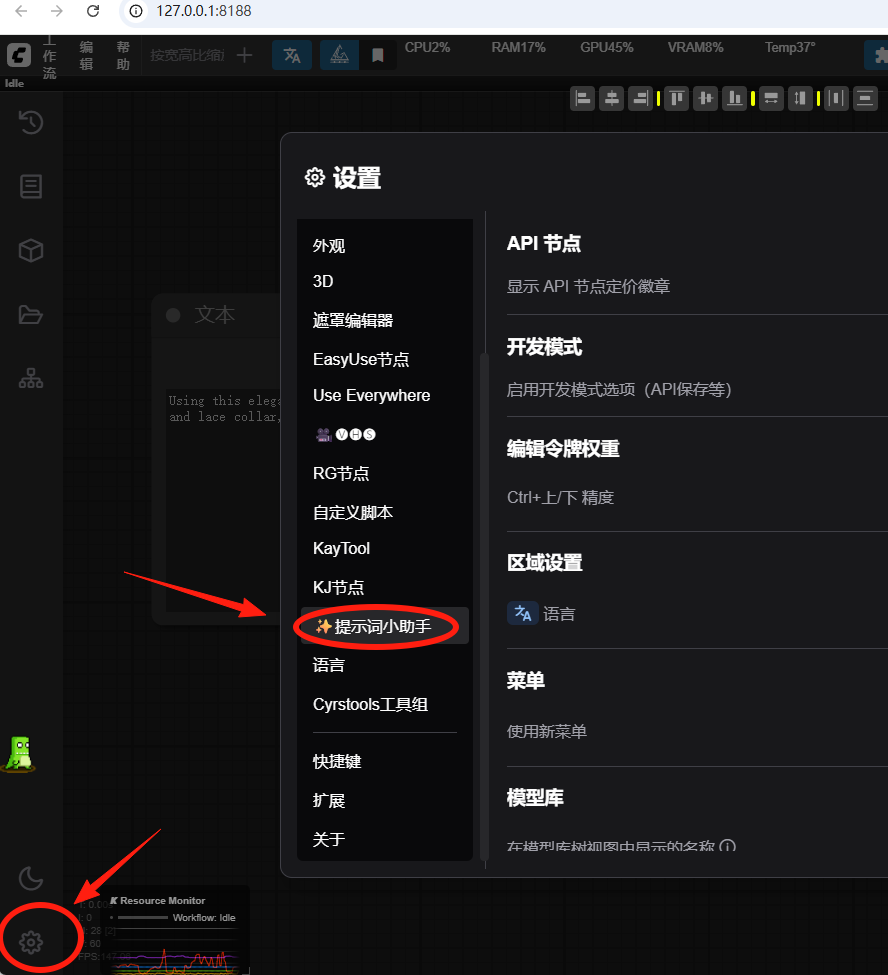
Go back to comfyUI, click the Settings button on the bottom left corner, and on the right side, you will find the button "Cue word helper".
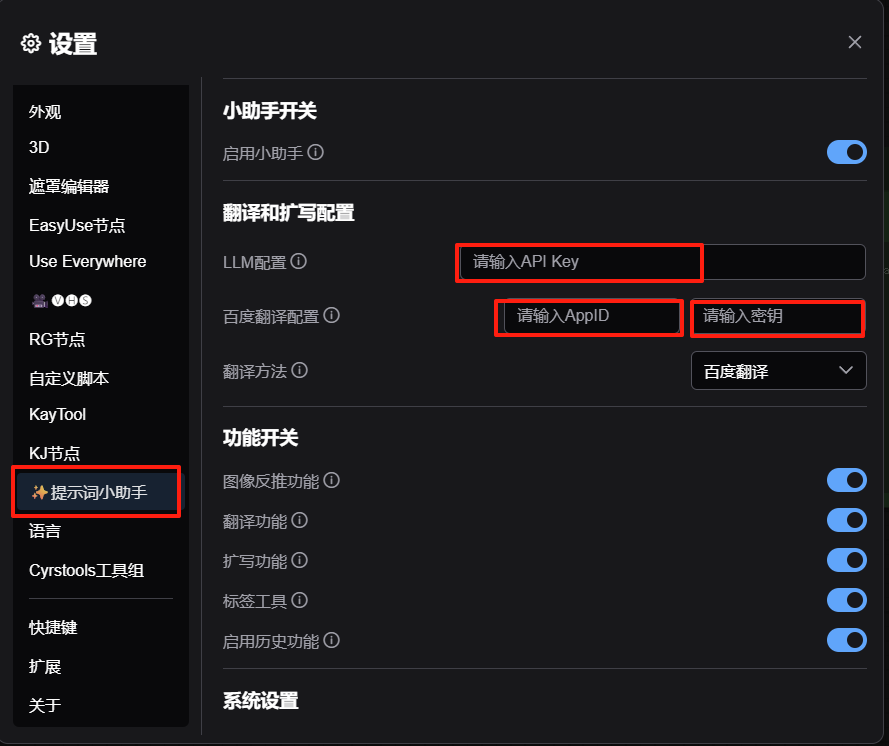
Next, fill in the Wisdom Spectrum API that you just applied to the LLM configuration.
Fill in the Baidu Developer ID and key at Baidu Translation Configuration.
Configuration is complete, you can enjoy the use of the prompt word Shibashiri County hand plug-in for us to bring the powerful features.
III. Use of plug-ins
After the plugin is installed and the APIs for Baidu and Smart Spectrum are configured, we open a flux official workflow as a demo.
1. Cue word expansion and translation
When the mouse casually hovers below a node window capable of entering text, a row of buttons appears at the bottom right of the window.
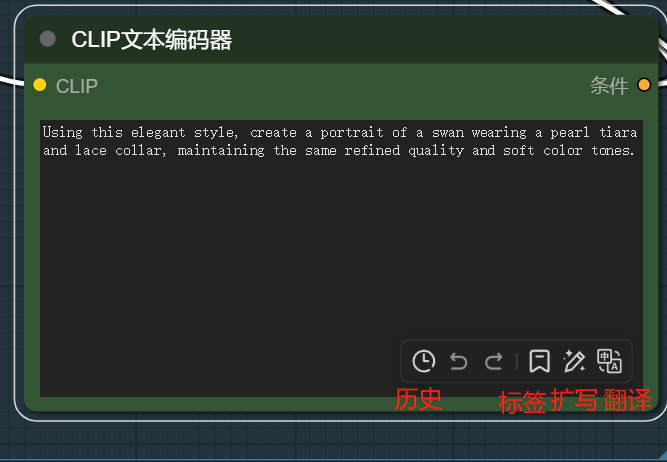
The buttons are counted from back to front, respectively:
Translation: Instant switching between Chinese or English for prompt words, one tap to switch, especially fast.
Expansion: Expand the whole text of the current prompt to avoid the prompt being "too dry". We can write out the main content of the prompt first, then click Expand, and then click Translate.
Tags: The default prompt word is natural language, suitable for flux models. If you still want to use the previous 1.5 model, you can use this tag function to write prompt words.
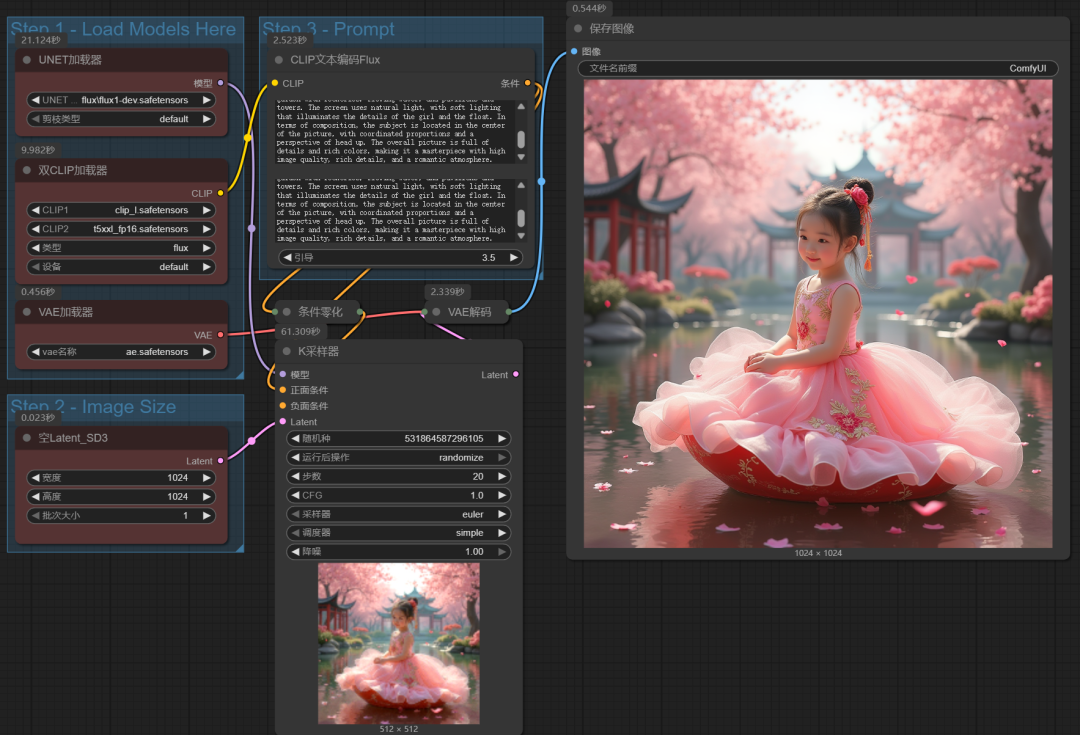
The following is the result of expanding and then translating the prompt "A Chinese girl, wearing a royal dress, sitting on a float".

Run with this cue word.
The image is of a little Chinese girl in a pink dress sitting on a red cart. The overall image is more in line with "a Chinese girl in a Gong Wang dress sitting on a float", but it also expands the image with more details.
2. Cue Kai backpropagation
Add a load image node to the scene. When the mouse is placed on the node, two buttons will appear in the lower right corner of the node, which are backpropagated Chinese and English.
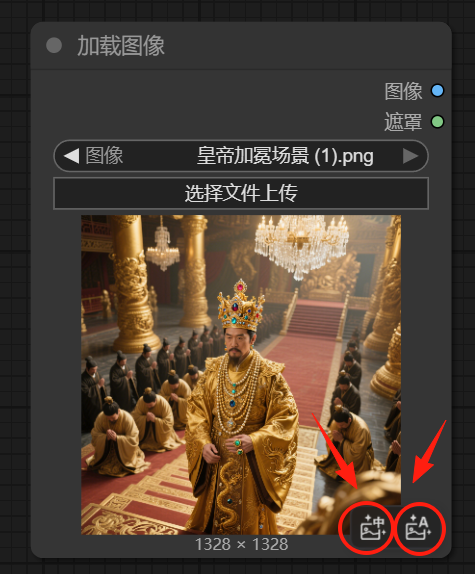
Pasting the backpropagated cue words into the CLIP text encoder and letting flux generate the image directly, we get an image similar to the original.